Hongmu Notes
Home Summary of pitfalls

Summary of pitfalls

A summary of common mistakes encountered when building websites... This list isn't exhaustive; it merely records the issues I faced during my own development projects.

In a CDN, which is better: origin authentication or timestamp-based content防盗linking?

In a CDN, which is better: origin authentication or timestamp-based content防盗linking? Summary of pitfalls

Origin-based authentication and timestamp-based anti-aliasing are both commonly used anti-aliasing methods, each with its own advantages and disadvantages; the appropriate approach should be selected based on the specific circumstances. Origin-based authentication involves encrypting and signing the request URL, enabling the server to decrypt and verify the request upon receipt to determine whether resource access is permitted. Its advantage lies in its effectiveness in preventing unauthorized linking: even if an unauthorized request knows the resource's URL, it cannot pass the signature verification, thereby preventing access to that resource. However...

👁 252
Clear Linux command-line history

Clear Linux command-line history Summary of pitfalls

In Linux systems, historical command-line history is typically stored in the `bash_history` file located in the user's home directory. You can clear this history using the following methods: Manual deletion – Open a terminal and use the `cd` command to navigate to your home directory (for example, if your username is "username", your home directory is `/home/username`)...
👁 476
How to temporarily pause system updates for Windows 11 and Windows 10 – no side effects, proven effective!

How to temporarily pause system updates for Windows 11 and Windows 10 – no side effects, proven effective! Summary of pitfalls

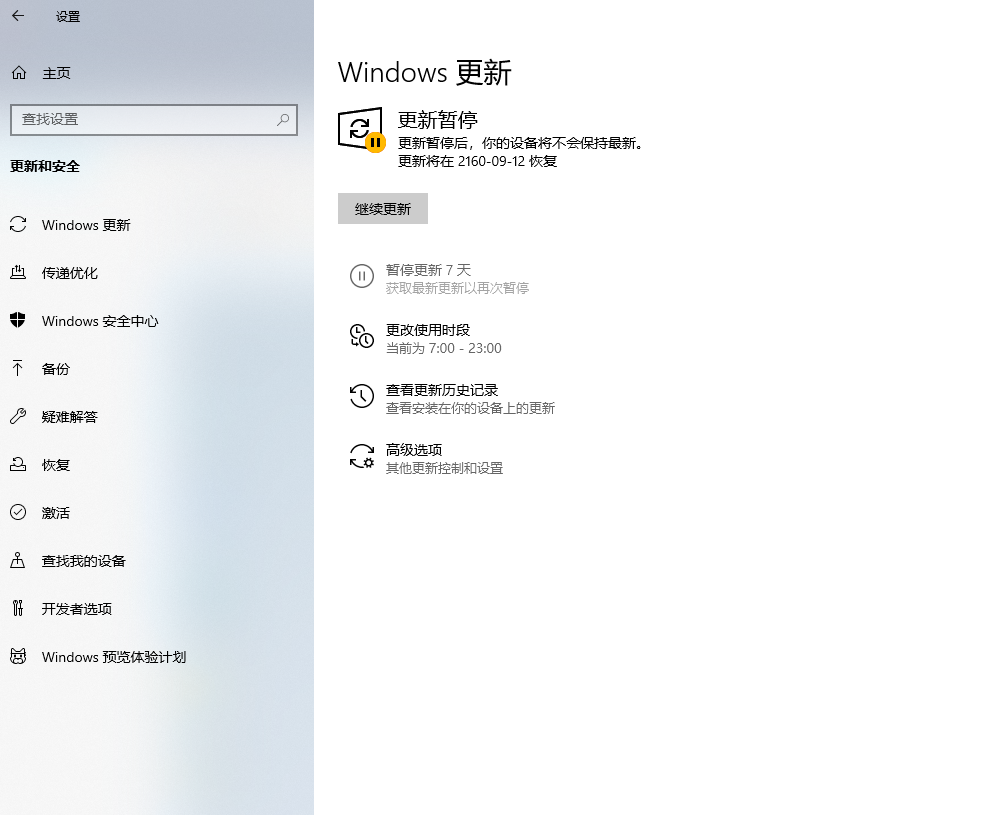
Although Windows updates are free, constantly updating the system can be quite troublesome! Currently, I'm using Windows 10 and don't want to upgrade to Windows 11 – yet this program suddenly downloaded Windows 11 and tried to force me to update! This was unbearable, so I searched on Baidu for a solution – I tried countless methods, but nothing worked. After persistent effort, I finally found a workaround with no side effects!...
👁 325
A file named `ssllibrary.ddl` was found on the C drive; can it be deleted?

A file named `ssllibrary.ddl` was found on the C drive; can it be deleted? Summary of pitfalls

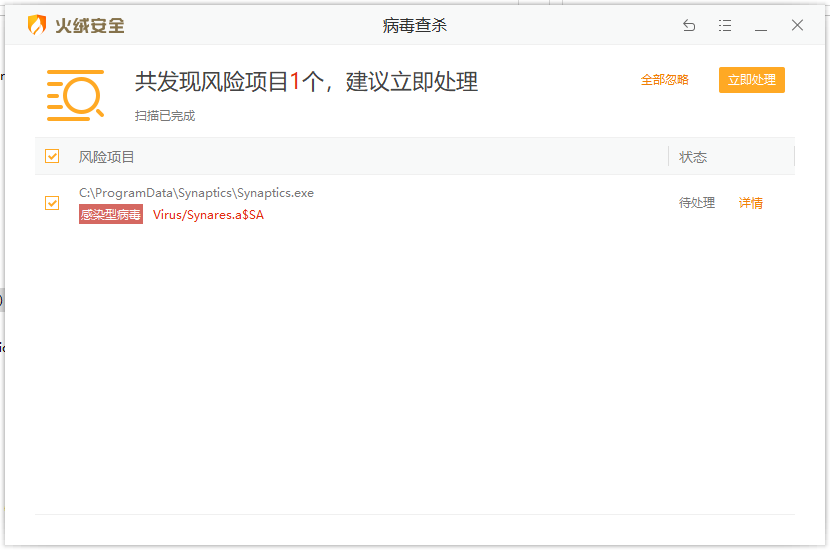
Recently, I downloaded various cracked software programs and installed them for use – a rather tedious process – when I was pleasantly surprised to find that my C drive was completely full! My computer had been in use for five or six years, yet this was the first time such a situation had occurred; feeling something was wrong, I began investigating the issue. That's when I discovered the `ssllibrary.ddl` file on my C drive! This file is located within the `AppData` directory of the computer user's system. Regarding the `AppData` directory: `AppData` is part of the Windows operating system...
👁 1290
Must-have for musicians: The most comprehensive instrument sound source timbre reference table – with both Chinese and English versions!

Must-have for musicians: The most comprehensive instrument sound source timbre reference table – with both Chinese and English versions! Summary of pitfalls Hobbies Arrangement learning

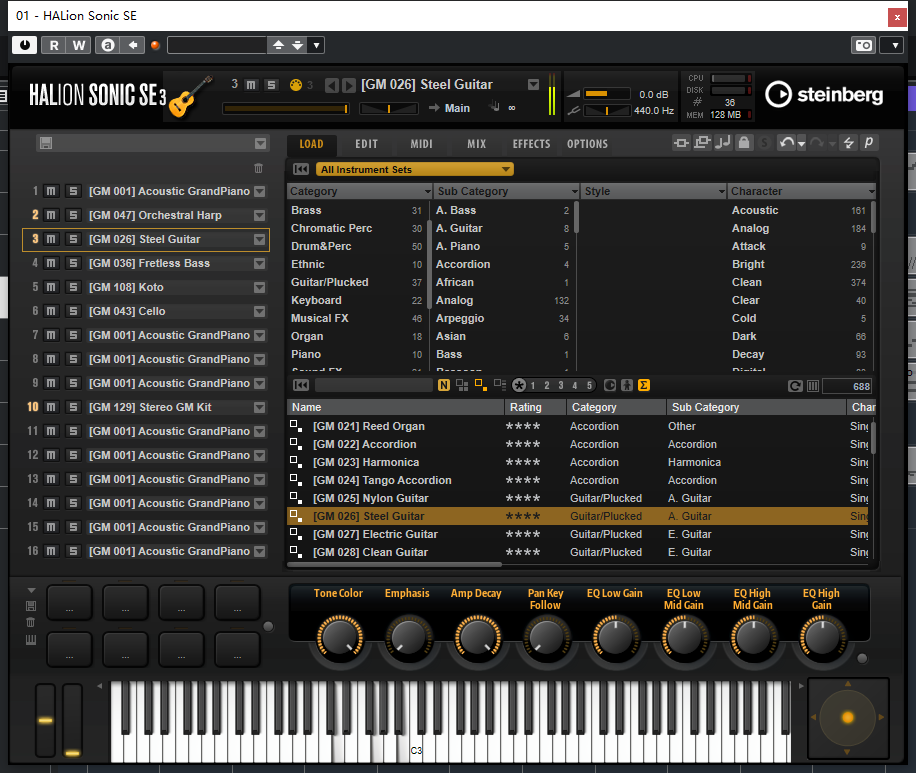
As everyone knows, most advanced music textbooks and audio plugin software available on the market are currently available in English; whenever you come across an unfamiliar word, you often have to look up its translation – which can be quite cumbersome. Today, we've compiled a comprehensive bilingual instrument list (Chinese–English) for you – so you no longer need to spend time translating! Dive in and start learning today! Woodwinds: Woodwind instruments – 1. Piccolo – Short flute; 2. Flute – Long flute; 3. Soprano recorder...
👁 915
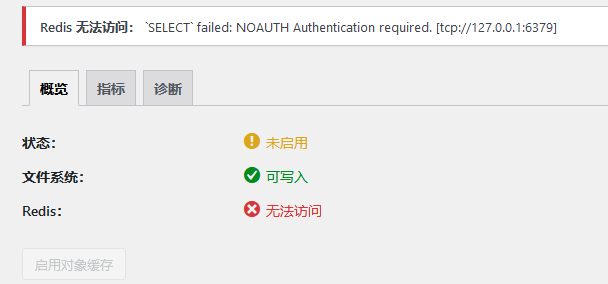
After installing Redis on WordPress, setting a password prevented Redis from connecting; as a result, Redis could not be accessed: `SELECT` Failed: NOAUTH – Authentication required.

After installing Redis on WordPress, setting a password prevented Redis from connecting; as a result, Redis could not be accessed: `SELECT` Failed: NOAUTH – Authentication required. Program Notes Summary of pitfalls wordpress

This is the most widely used article online – it can solve 80% of Redis-related issues! What should you do if the Redis Object Cache plugin fails to connect after you have changed the Redis password in WordPress? Of course, the remaining 20% of cases require making adjustments directly in the wp-config.php file! Solution: Previously, I added Redis-related code to the object-cache.php file of the Redis plugin...
👁 604
Baota Panel 8.0.2 Installation Guide

Baota Panel 8.0.2 Installation Guide Summary of pitfalls

CentOS installation command (default installation: upgrade from version 7.9.10 directly to version 8.0.2 via online update): 🔒 Hidden content: After logging in, you can run the following command: `yum install-y wget && wget-O install.sh http://io.bt.sy/install/install_6.0.sh &&...`
👁 281
Step-by-step guide on disabling Xunlei downloads in your browser (How to turn off Xunlei Browser's download interception feature)

Step-by-step guide on disabling Xunlei downloads in your browser (How to turn off Xunlei Browser's download interception feature) Summary of pitfalls

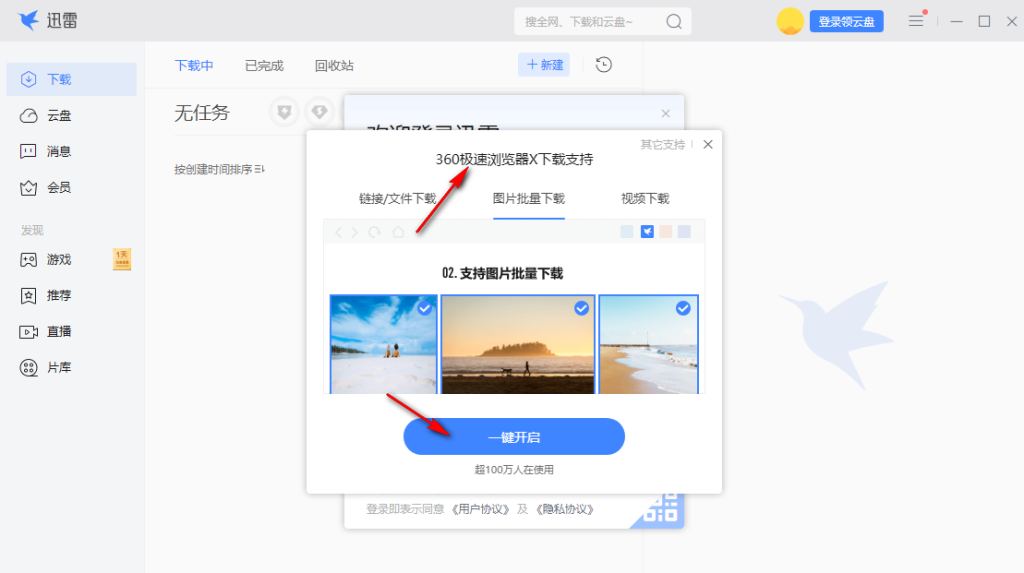
There are still a lot of users using Xunlei. Many seed resources that cannot be downloaded by browsers can be downloaded directly on Xunlei. However, when Xunlei is installed, it may directly take over the download content of the browser. As a result, Xunlei's download prompt will pop up every time the user downloads content on the browser, forcing users to use Xunlei to download files on the browser. If you need to prohibit Xunlei from downloading resources on the browser, you can enter the settings interface and cancel the download takeover, so...
👁 1209
How to use the "Locomotive" tool to capture the current page URL

How to use the "Locomotive" tool to capture the current page URL Summary of pitfalls

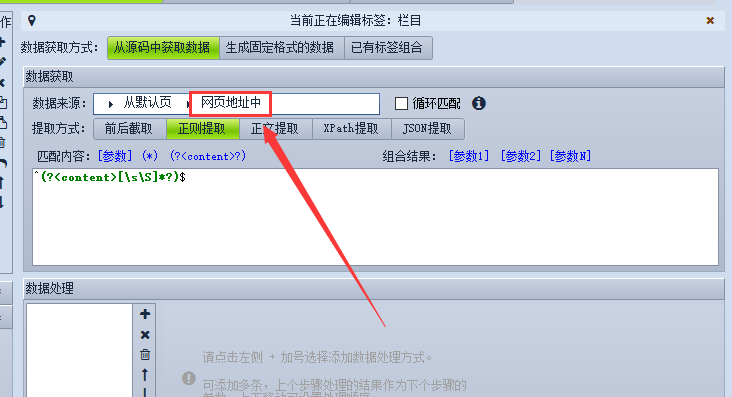
First, create a tag with the value set to the current article's URL and check the option "Collect from URL." Then, select "Regular Expression Extraction," and click on the wildcard "(?<content&gt;?)"; this will display as (?<content&gt;[\s\S]*?) in the window. Next, add a caret (^) symbol before this pattern to match the start of the string, and add a closing caret (...) symbol after it to match the end of the string...
👁 332
Linux pagoda mysql cannot start solution

Linux pagoda mysql cannot start solution Summary of pitfalls

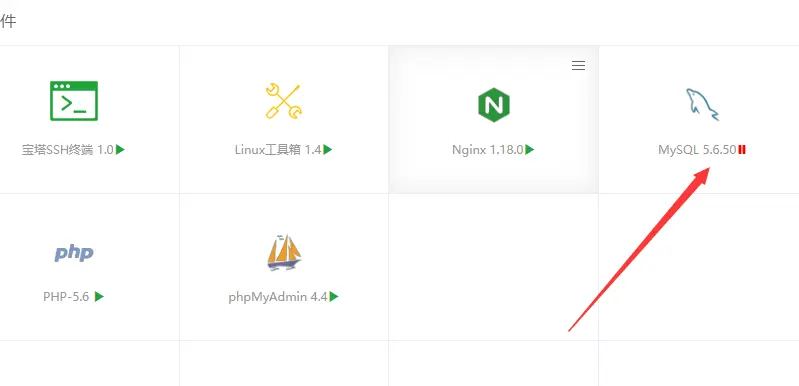
I can't log in to the Imperial CMS backend. The strategies on Baidu all say it's a database problem. After logging in to the Pagoda backend, it turns out that it is as shown below. Method 1: Directly find the directory file /www/server/data/mysql-bin.index and delete this file. Baidu tried to find several article guides, but none of them solved the problem. The next method to solve the problem (may not work for everyone) Method 2: As shown below, click mysql,...
👁 276
1 3 4 5 6 7 14