
Hongmu Notes
Home Summary of pitfalls

Summary of pitfalls

A summary of common mistakes encountered when building websites... This list isn't exhaustive; it merely records the issues I faced during my own development projects.

What does `\s*` mean in regular expression matching?

What does `\s*` mean in regular expression matching? Summary of pitfalls

\s* is a regular expression metacharacter used to match zero or more whitespace characters. Here, the metacharacter \s matches whitespace characters such as spaces, tab characters, or line breaks; for example, \t represents a tab character, \n represents a line break, and \r represents a carriage return character, among others. The * metacharacter matches zero or more occurrences of the preceding metacharacter; for example, \s* matches zero or more whitespace characters. Therefore, \s*\/} can match occurrences within {eyou:include...
👁 272
Set a shortcut key in VS Code to delete a line.

Set a shortcut key in VS Code to delete a line. Summary of pitfalls

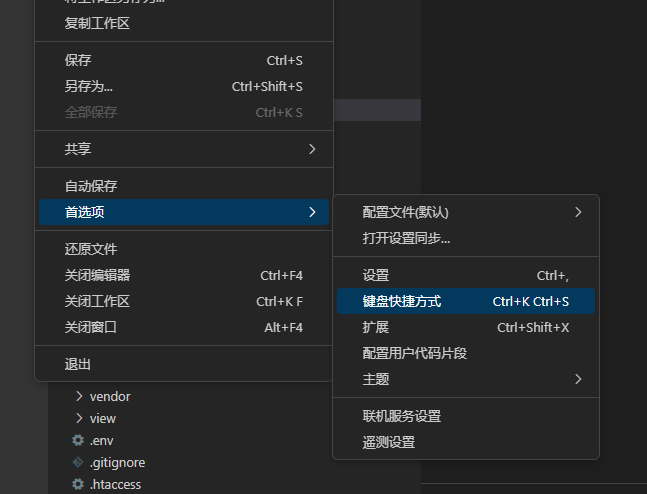
Common delete shortcut in development: Ctrl+D; VS Code's delete shortcut: Ctrl+Shift+K. To modify this shortcut: by default, it's Ctrl+D; however, it should be set to "Add selection to next find match." First, change its shortcut—for example, change it to Ctrl+Shift+Alt+D—and press Enter to save the changes to the "Delete Line" shortcut...
👁 454
Why does the PHPStudy database web management interface feel very laggy when used locally? (PHPMyAdmin)

Why does the PHPStudy database web management interface feel very laggy when used locally? (PHPMyAdmin) Summary of pitfalls

The method is to modify the config.default.php file by changing `localhost` to `127.0.0.1` – this can increase performance by several dozen times! The PHPMyAdmin installed with PHPStudy is located in a different directory; please locate it yourself.
👁 156
Loading composer repositories with package information Updating dependencies Your requirements could not be resolved to an installable set of packages.

Loading composer repositories with package information Updating dependencies Your requirements could not be resolved to an installable set of packages. Summary of pitfalls

This error typically indicates that Composer is unable to satisfy all the package and version requirements specified in your `composer.json` file. This could be due to one of the following reasons: the required packages or versions are not available in the Composer repository; the specified requirements conflict with other requirements, making it impossible to find packages that meet all the requirements; or the specified requirements are incompatible with those available in Composer...
👁 202
Create a regular user on Linux and set a password for them.

Create a regular user on Linux and set a password for them. Summary of pitfalls

In Linux, you can create an ordinary user and set a password by following these steps: Log in to the Linux system as the root user. Execute the following command to create a new user and their home directory: `useradd-m <username>`, where `<username>` is the name of the new user you wish to create, and `-m` indicates that the user's home directory should be created simultaneously. Execute...
👁 182
composer Do not run Composer as root/super user! See https://getcomposer.org/root for details Continue as root/super user [yes]? yes

composer Do not run Composer as root/super user! See https://getcomposer.org/root for details Continue as root/super user [yes]? yes Summary of pitfalls

This is a warning from Composer advising against running Composer as the root or superuser. In many cases, running Composer as the root or superuser may cause issues—such as permission problems where the generated files become unreadable or unwritable. If you are unable to run Composer as an ordinary user, you can configure...
👁 1239
sudo vim /etc/profile sudo: vim: command not found

sudo vim /etc/profile sudo: vim: command not found Summary of pitfalls

If you encounter the error message "sudo: vim: command not found" when running the command `sudo vim /etc/profile`, it means that the Vim editor is not installed on your current Linux system. You can try installing the Vim editor using the following command: For Debian/Ubuntu systems: `sudo apt install vim`
👁 758
Close server ports on Linux

Close server ports on Linux Summary of pitfalls

You can use the following commands to terminate a process that is using port 8080: First, identify the process using port 8080: `sudo lsof-i:8080`. Then, terminate that process: `sudo kill <PID>`, where <PID> is the process ID obtained in the first step. Alternatively, you can use a single command to perform both steps: `sudo kill $(sudo lsof-t...)`
👁 364
How to check which ports are currently in use on Linux?

How to check which ports are currently in use on Linux? Summary of pitfalls

On Linux systems, you can use the command-line tools `netstat` or `lsof` to check which ports are currently in use. To view port usage, use the `netstat` command: `netstat-tunlp`. This command lists all TCP and UDP ports along with the corresponding process information; here, `-t` indicates TCP connections, `-u` indicates UDP connections, `-n` means that service and host names are not resolved, and `-l` means that only...
👁 136
Image verification code, click to refresh

Image verification code, click to refresh Summary of pitfalls

You can add a refresh button on the verification code image and click the button to get the verification code again. Here is an example: &lt;!-- Reference the captcha image in the HTML page and use JavaScript to add a click event to it --&gt; &lt;div&gt; &lt;img id="captcha" src="captcha.php" al…
👁 194
1 5 6 7 8 9 14