I couldn't log in to the EmpireCMS backend; all the troubleshooting guides on Baidu suggested that the issue was related to the database. When I checked the PaTa backend, it turned out to be the case – as shown in the image below.
Method 1: Locate the directory file `/www/server/data/mysql-bin.index` and delete it.
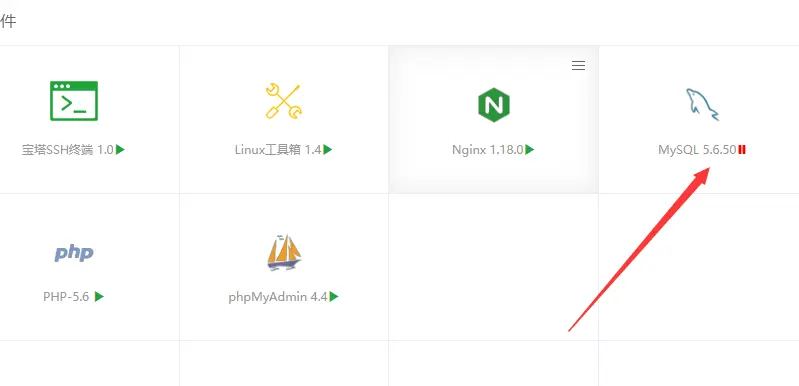
Baidu searched through several tutorial articles, but none of them solved the problem; here are some alternative solutions (which may not work for everyone).
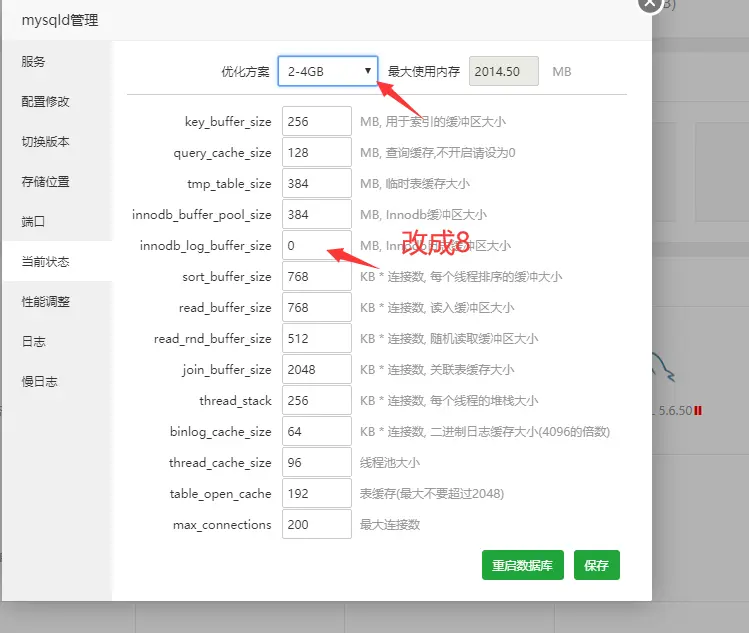
Method 2: As shown in the figure below, click on "MySQL", then select "Current Status" and "Optimization Plan" (which corresponds to your server configuration). Choose a setting that is closest to your actual server configuration; for example, change the InnoDB log buffer size from 0 to 8 – then the server can be started.