Recently, I downloaded various cracked software programs and installed them to use – it was quite a hassle, and then I was pleasantly surprised to find that my C drive was completely full!
The computer has been in use for five or six years, and this is the first time this issue has occurred – so I felt something was wrong and decided to investigate the problem!
So, I found the ssllibrary.ddl file on the C drive!
This file is located in the AppData directory of your computer.
About the AppData directory
AppData is an important folder in the Windows operating system that contains data and configuration information generated by the current user when running various programs on the computer.
Specifically, the AppData directory contains three subfolders:
Roaming: Stores user-related data and configuration information, such as application-specific profiles, preferences, history, bookmarks, and more. This data is synchronized as the user uses the device across different computers.
Local: Stores computer-related data and configuration information, such as cached data within certain applications or offline files. This data is shared on a single computer but is not synchronized across different computers.
Temp: Used for storing temporary files, such as application caches or installer temporary files; these files are automatically cleaned up periodically.
Note that the AppData directory is hidden by default. If you need to access it, open the View menu in File Explorer, check the option "Show hidden items", and then you will be able to see the AppData directory.
I was still very confused about the sudden appearance of such a large dll file, so I started Baidu.
Finally, I found an article, and after checking it, I found out that it was a virus in my computer!
It is understood thatIf you find a file named ssllibrary.ddl in the C drive and it keeps filling up your C drive, then you are infected by the Synaptics worm.. The virus is highly transmissible and can be spread through Excel documents with malicious macro codes or by subverting EXE files. The virus will also monitor your USB flash drives, mobile hard drives and other storage devices and infect USB devices through the autorun.inf file.
Through testing, when you want to delete the ssllibrary.ddl file directly, you will find that it cannot be deleted at all. Even if it is deleted, the file will be automatically generated again.
After reading, I suddenly realized that when I installed the cracking software before, I had turned off Tinder!
So the virus directly invades the computer!
terms of settlement
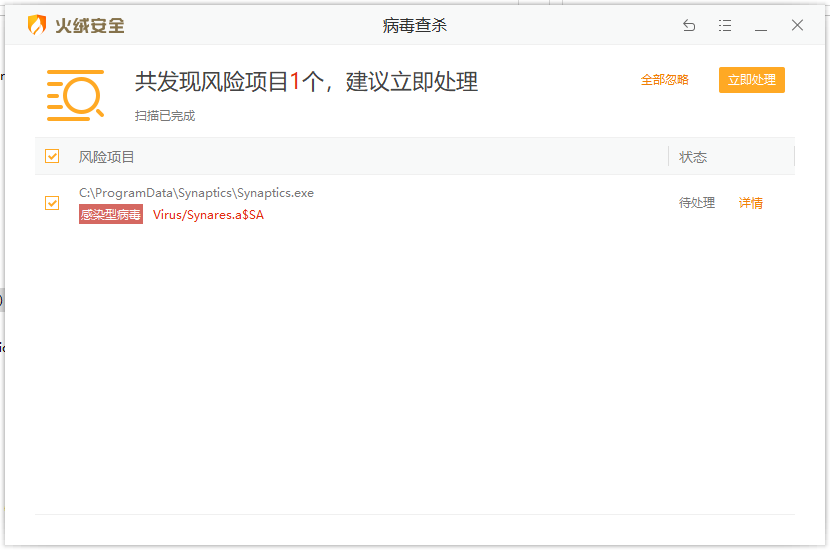
I opened the security protection software on my computer. Sure enough, as soon as I opened the software, it immediately reminded me that my computer had a virus and isolated the virus files for me!
Then scan:
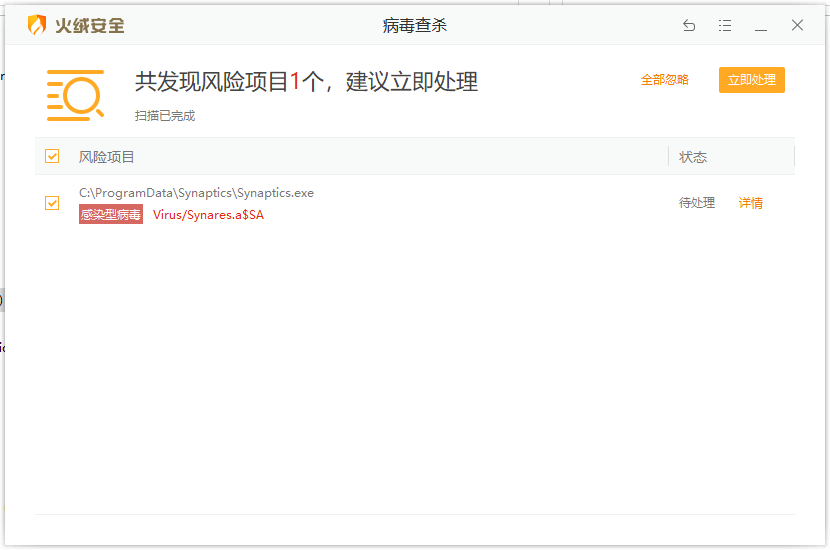
This is really careless, deal with it directly. . . . . OVER!