There are still a lot of users using Xunlei. Many seed resources that cannot be downloaded by browsers can be downloaded directly on Xunlei. However, when Xunlei is installed, it may directly take over the download content of the browser. As a result, every time the user downloads content on the browser, a Xunlei download prompt will pop up, forcing the user to use Xunlei to download. Files on the browser, if you need to prohibit Xunlei from downloading resources on the browser, you can enter the settings interface and cancel the download takeover, so that Xunlei will not download the content of the browser. Some users find that it has no effect after canceling the takeover, so I wrote a simple tutorial here to help you solve the problem. I personally tested the tutorial to be useful!
How to use
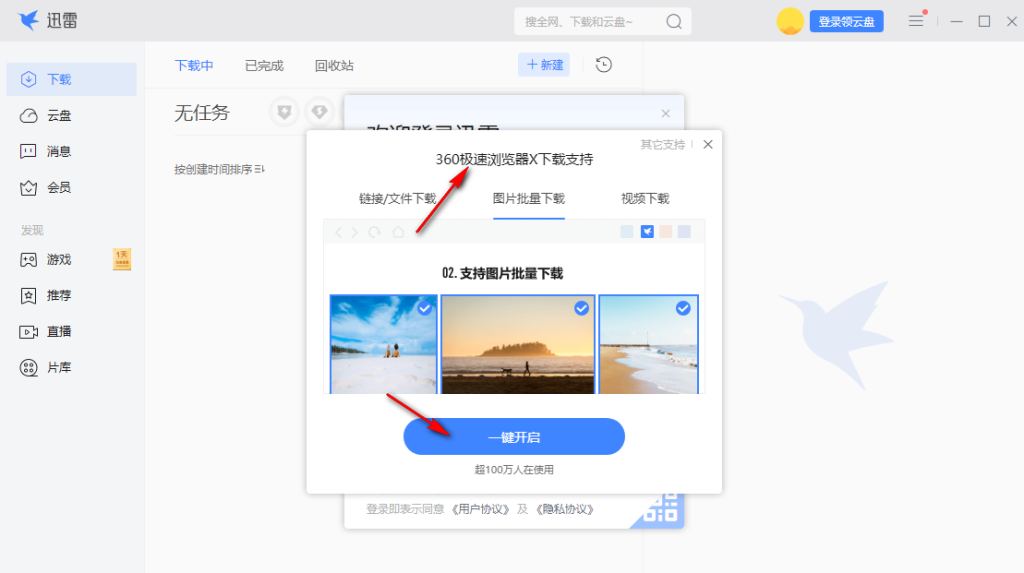
1. When installing Xunlei on your computer, a prompt will pop up. The current browser on your computer supports Xunlei downloads. If you click one button to open it, Xunlei will take over the download, so just click "×" in the upper right corner to close it.
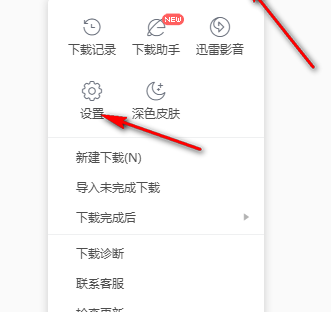
2. If the browser has been downloaded by Thunder, directly enter the settings interface and find the takeover settings content.
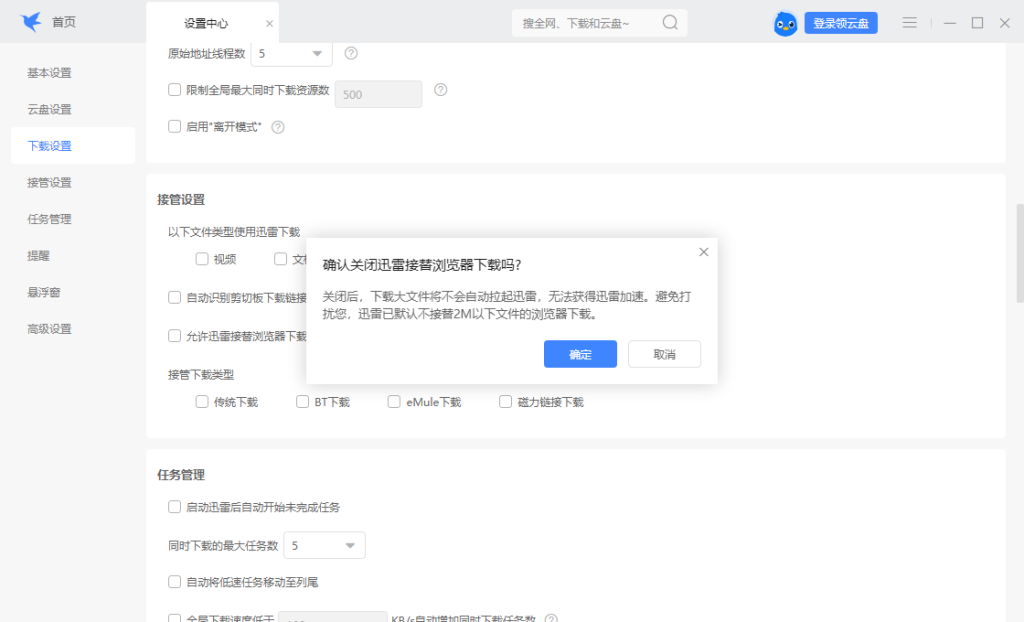
3. Uncheck all the following file types using Thunder downloads, uncheck them, check "Allow Thunder to take over browser downloads" again, then uncheck and repeat
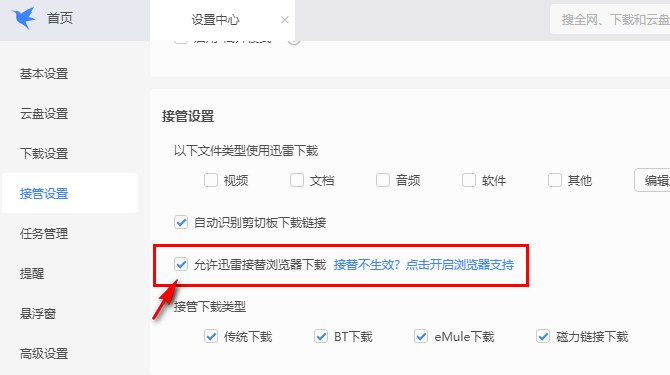
4. You are prompted that Xunlei has been closed to take over the browser download. You need to restart the browser to take effect. Now you can close your browser and reopen it to test whether it can download normally.