Hongmu Notes
Home Language Notes CSS

CSS

Cascading Style Sheets (CSS) is a computer language used to define the styling of documents such as HTML (an application of the Hypertext Markup Language) or XML (a subset of the Hypertext Markup Language). CSS not only allows for the static styling of web pages but can also be used in conjunction with various scripting languages to dynamically format various elements on a webpage.

A simple single page of the website can be used to introduce yourself, or it can be a single page for pure display.

A simple single page of the website can be used to introduce yourself, or it can be a single page for pure display. Language Notes CSS Summary of pitfalls

Record this single page. That is, the code for a simple page implementation is as follows: <!DOCTYPE html> <html lang="zh-CN"> <head> <meta charset="UTF-8" /> <meta name="viewport" content…
👁 64
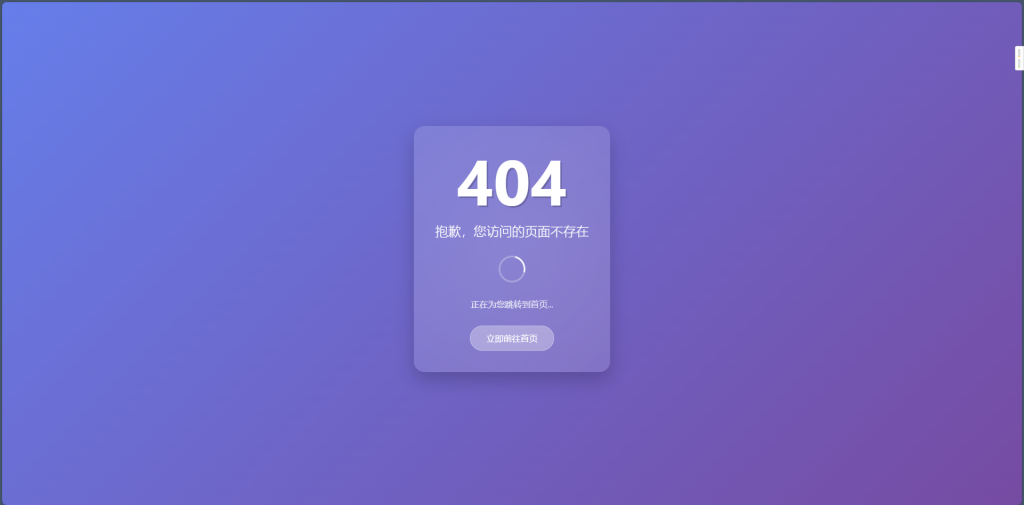
Found a really nice 404 page!

Found a really nice 404 page! Language Notes CSS JavaScript

Display effect. Code: <!DOCTYPE html> <html lang="zh-CN"> <head> <meta charset="UTF-8"> <meta name="viewport" content="width=device-width...>
👁 144
I've written an HTML file for office document processing, designed to handle the segmentation of AI-generated office texts.

I've written an HTML file for office document processing, designed to handle the segmentation of AI-generated office texts. Language Notes CSS Summary of pitfalls

I've written an HTML file for office document processing, designed to handle the segmentation of AI-generated office texts. <!DOCTYPE html> <html lang="zh-CN"> <head> <meta charset="UTF-8"> <meta name="viewport" c...
👁 152
A novel reader written in html, php, ajax

A novel reader written in html, php, ajax Language Notes PHP CSS JavaScript Bootstrap

Pure reading version: <?php // index.php session_start(); $uploadDir = 'books/'; $booksFile = $uploadDir . 'books.json'; // Initialize the book storage directory if (!file_exists($uploadDir))…
👁 171
In ul, how to divide 6 li into two columns?

In ul, how to divide 6 li into two columns? Language Notes CSS

In HTML and CSS, there are many ways to display the six <li> elements in <ul> into two columns. Here are several common methods: Method 1: Using CSS Flexbox, you can set <ul> as a flex container, and then set the flex-wrap property to wrap, and specify the occupancy of each <li> element...
👁 499
There is an a tag under the li tag. When the mouse is placed on the li tag, how can I make the a tag change color?

There is an a tag under the li tag. When the mouse is placed on the li tag, how can I make the a tag change color? Language Notes CSS

To make the inner a tag change color when the mouse is placed on the li tag, you can use CSS's :hover selector combined with the descendant selector. Here's a simple example: Let's say your HTML is structured as follows:<ul> <li><a href="#">Link 1</a></li> &l…
👁 228
HTML+CSS+Swiper realizes the idea of sliding left and right in three columns on NetEase Cloud mobile phone

HTML+CSS+Swiper realizes the idea of sliding left and right in three columns on NetEase Cloud mobile phone Language Notes CSS JavaScript

First use Swiper to slide left and right! Then use HTML+css to realize text and picture layout display! Code: 🔒 Hidden content: Members can view <!DOCTYPE html> <html lang="en"> <head> <meta charset="utf-8" /> <tit…
👁 188
html css title displays one line and hides the excess part

html css title displays one line and hides the excess part Language Notes CSS

To make the title display one line in HTML and hide the excess part, you can use CSS styles to control how the element is displayed. The following is a commonly used method: HTML code: <div class="title"> <h1>This is a very, very long title, and the excess part needs to be hidden</h1> </div>CSS code:…
👁 197
The `img` tag is centered only when it is detected within a `p` tag.

The `img` tag is centered only when it is detected within a `p` tag. Language Notes CSS

You can use the following CSS code to center an <img> tag when it exists: p img {display: block; /* Set the <img> tag to a block-level element */ margin: 0 auto; /* Set both left and right margins to auto for horizontal centering */} This will center the <img> tag within its parent <...> element.
👁 200
css absolute positioning center

css absolute positioning center Language Notes CSS

There are numerous methods to achieve absolute positioning with centering in CSS; below, we will introduce four such techniques. 1. A widely compatible and mainstream approach for achieving absolute positioning with centering in CSS: `.container {width: 600px; height: 400px; position: absolute; left: 50%; top: 50%; margin:...`
👁 414
1 2 3 4