First, create a tag with the URL of this article as its value, then check the option "Collect from URL".
Select"正则提取Click on the wildcard „(?<content>?) – This will display as (within the window).?<content>[\s\S]*?We then add a ^ symbol before it, which matches the start of the string, and a $ symbol after it, which matches the end of the string; thus, the pattern becomes:^(?<content>[\s\S]*?)$。
as shown in the figure:
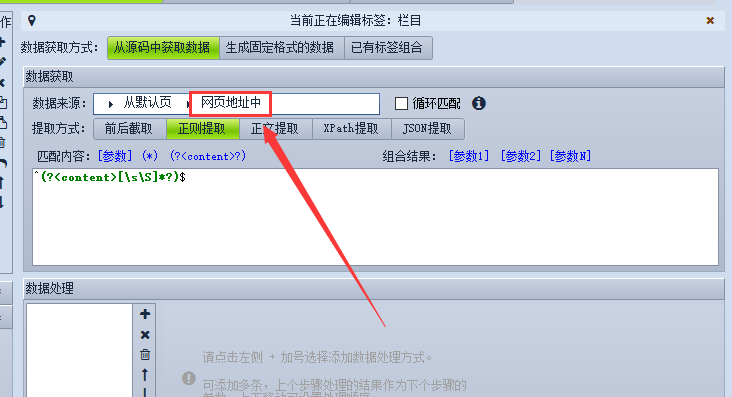
Content – represents content
? Matches 0 or 1 occurrence.
\s Matches all whitespace characters
\S matches all non-whitespace characters
* The number of matching instances is 0 or any number