Hongmu Notes
Home Program Notes emlog

emlog

EMLOG is a lightweight blog and CMS platform built on PHP and MySQL; it also serves as a content creation tool utilizing a Markdown syntax editor. It is designed to be a fast, stable, and exceptionally user-friendly solution for creating content and building websites.

How to make administrator login visible on Emlog?

How to make administrator login visible on Emlog? Program Notes emlog

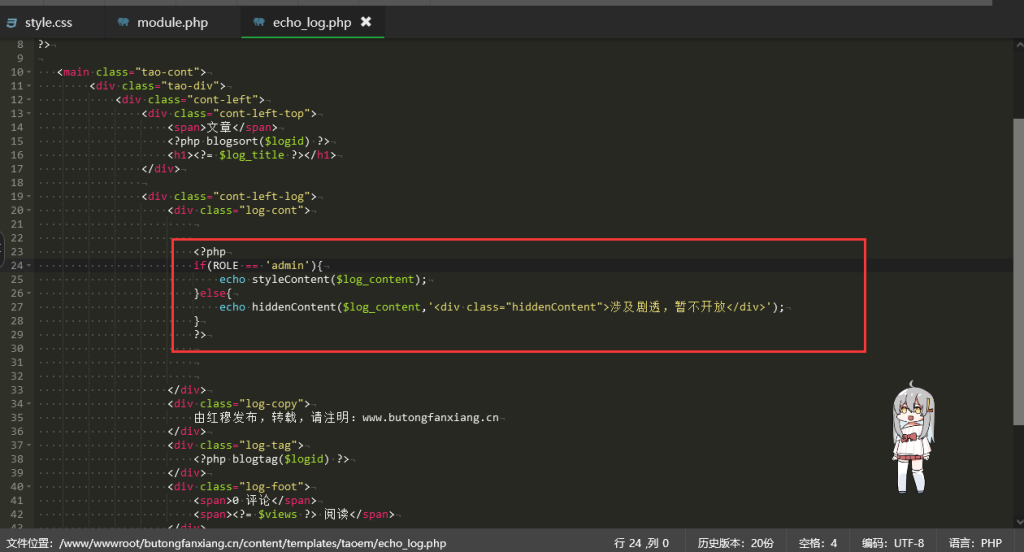
I took a look at EMLOG, downloaded a template, but during use, I noticed that there was no login-protected functionality! What I needed was features accessible only to administrators upon logging in. So, I checked the official documentation: there are directly usable constant variables and constant type definitions. For example: - `Option::EMLOG_VERSION` – retrieves the current EMLOG version number; - `ROLE` – indicates the current user role (user group): `admin` (administrator), `writer`, etc.
👁 259
EMLOG Pro Registration Code "Cracking" Tutorial (What should users do if the official or free version of EMLOG suddenly becomes unavailable?)

EMLOG Pro Registration Code "Cracking" Tutorial (What should users do if the official or free version of EMLOG suddenly becomes unavailable?) Program Notes emlog

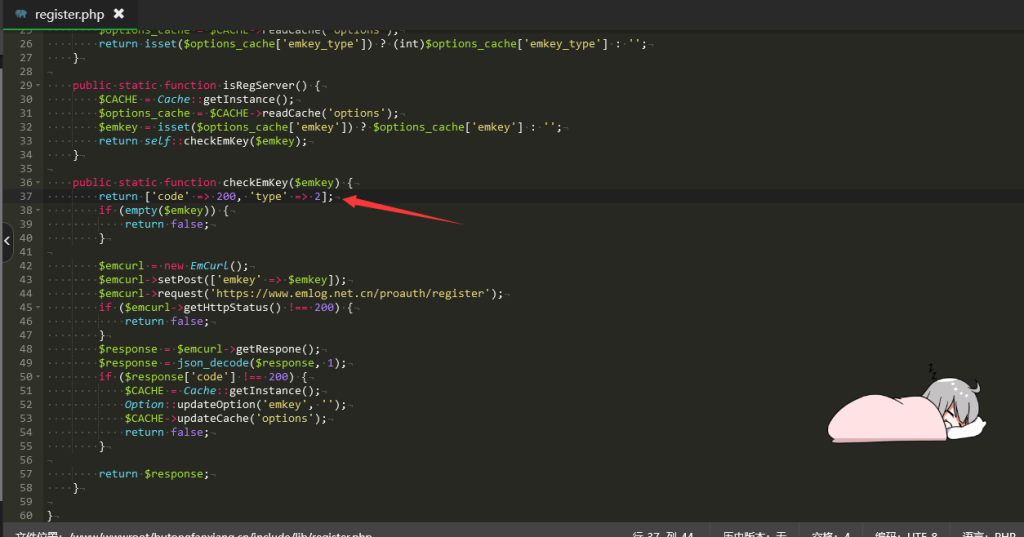
Preface: A tutorial on "cracking" the EMLOG Pro registration code – why use quotation marks for the word "cracking"? Because EMLOG is fully open-source software; anyone can download and modify it freely. Since it's open-source, the concept of "cracking" doesn't really apply. Main text: What should users do if the official EMLOG version or the free EMLOG version suddenly disappears? What if your EMLOG Pro cannot connect to the server...
👁 1264
EMLog Pro – Happy Crack Version – For learning, sharing, and use.

EMLog Pro – Happy Crack Version – For learning, sharing, and use. Program Notes emlog

This website uses the WordPress platform; emlog was only temporarily used for learning and sharing purposes. Recently, I remembered using the emlog software to write a blog before – it worked quite well – so on a whim, I downloaded and started using it! However, there's a so-called paid version available! So, I searched online and found a cracked version of the software. Driven by my desire to learn, I gave it a try – and the results are as follows: The performance is excellent! In fact, the emlog source code is open-source, and...
👁 1587
When editing articles in the EMLOG backend, automatic saving and display of word count statistics are enabled.

When editing articles in the EMLOG backend, automatic saving and display of word count statistics are enabled. Program Notes emlog

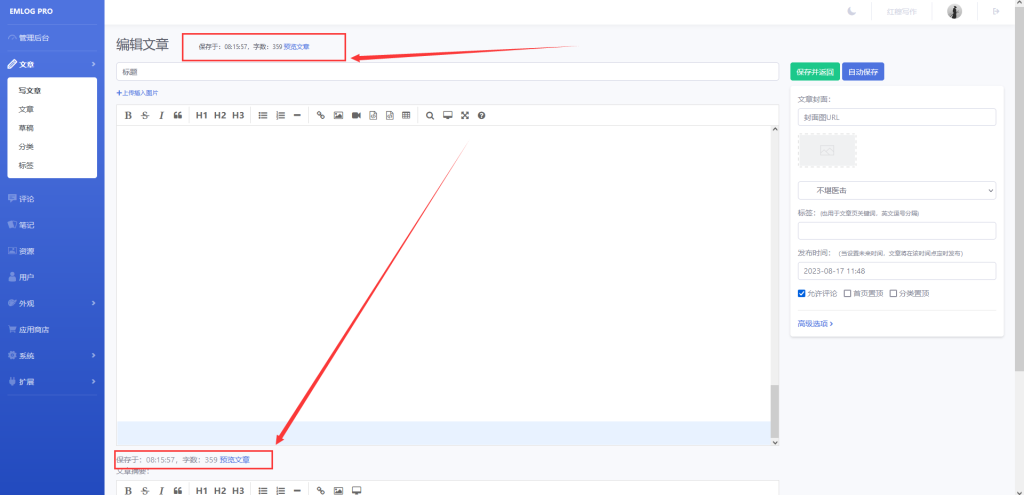
The specific modifications are shown in the figure below: This shows exactly how many seconds have been saved! It also displays the number of words in the article, making it very convenient for users to review their own content! Modification tutorial: Open the file `/admin/views/article_write.php`, and locate the code snippet: `<label>Article Summary:</label><%/label>` – this is approximately 18 lines of code. Add the following code snippet above this section: `<span i...`
👁 260
Change article line breaks in EMLog to <p> tags.

Change article line breaks in EMLog to <p> tags. Program Notes emlog

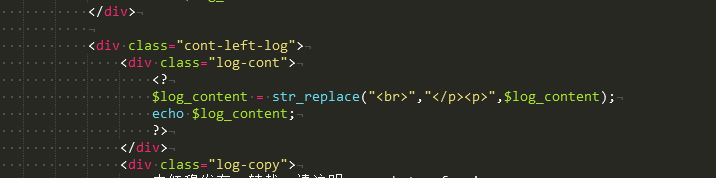
The new version of EMLOG is still unfamiliar to me – the editor still has a ton of issues! However, since I'm not very familiar with JavaScript, I've simply modified the line breaks using PHP! Find your article page template (e.g., `echo_log.php`) and modify the variable used for outputting your articles: `&lt;? $log_content = str_replace(&quot;&lt;br/&gt;", &quot;&lt;/p&amp;gt;...`
👁 190
EMLOG backend editor – Set text size

EMLOG backend editor – Set text size Program Notes emlog

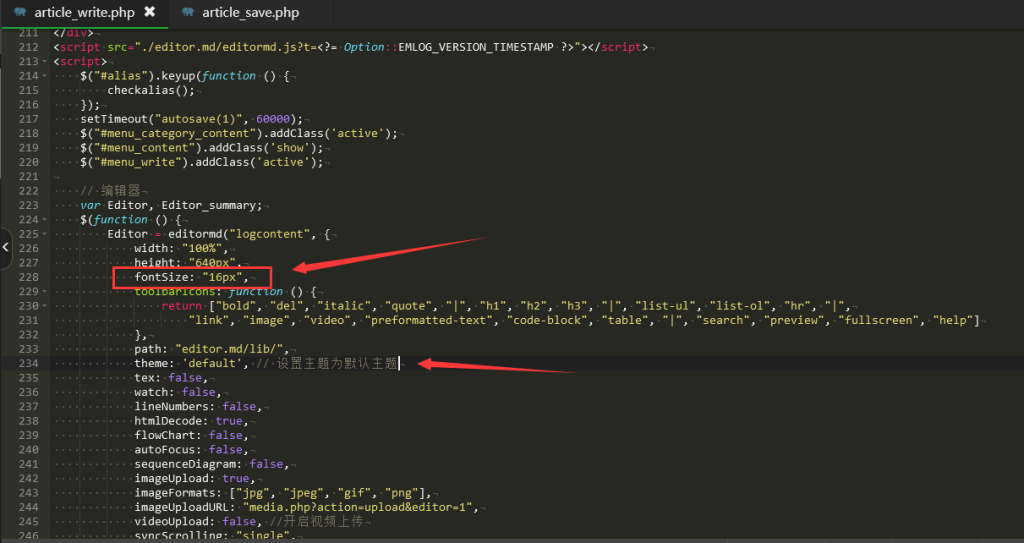
When editing text in EMLOG, the font size displayed is too small, making it very uncomfortable to read; if left unchanged, the text is practically impossible to read! To set the font size to 16px, you can modify the following code: Step 1: Open the `admin/views/article_write.php` file, and in the initialization section of both `Editor` and `Editor_summary`, locate the `path:` line...
👁 201
Emlog enables automatic saving when editing articles.

Emlog enables automatic saving when editing articles. Program Notes emlog

The automatic save feature allows you to automatically save your edits when you publish an article – it doesn't generate any extra IDs or drafts! When you click the "Auto Save" button, the page will be automatically submitted and saved without interrupting your editing process! The advantage is that you can save your article at any time; if a power outage or network disruption occurs and your changes aren't saved, you might be in for a real headache! Let's get started with the tutorial! Step 1: Open /admin/views/artic...
👁 244