Hongmu Notes
Home Program Notes Empire cms

Empire cms

Commonly used and practical Empire CMS codes – a collection of code snippets utilized in Empire CMS, such as those for creating and invoking navigation menus, implementing pagination, and performing various database queries, among others.

EmpireCMS – Optimizing the database by removing the article description field

EmpireCMS – Optimizing the database by removing the article description field Program Notes Empire cms

Delete the `smalltext` summary field; then, for each article query, extract the first 80 characters as the article summary – this is suitable for websites where custom summaries are not required. Supports querying specified database tables. Function: `function user_smalltext($id, $stb, $fontNume = 80,$tabe = 'news') {global $empi...`

👁 277
A quick and simple way to implement the "Like" feature in Empire CMS

A quick and simple way to implement the "Like" feature in Empire CMS Program Notes Empire cms

The first step is to add the id="dianzan" attribute to the a tag or button button you want to like. The second step is to add the class="likes-count" attribute to the tag you want to display the number of likes. The third step is to put the following js code on the content page of your website.
👁 287
EmpireCMS TAG-based pagination modification (for both pseudo-static and dynamic modes)

EmpireCMS TAG-based pagination modification (for both pseudo-static and dynamic modes) Program Notes Empire cms

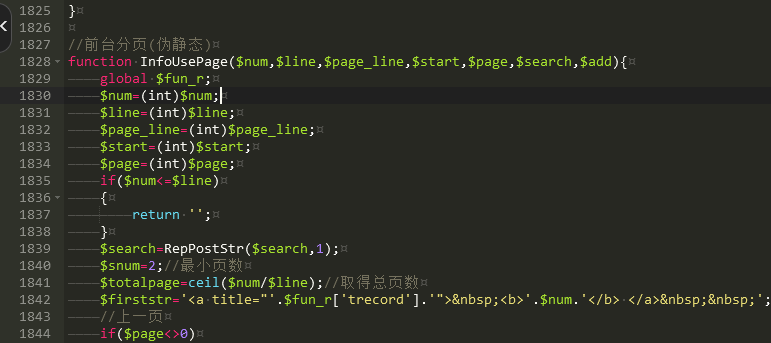
The list pagination functionality in EmpireCMS uses different invocation functions for pseudo-static and dynamic modes! To view the function corresponding to the pseudo-static mode in the file `e/class/connect.php`: `InfoUsePage` (approximately 1,828 lines); the function corresponding to the dynamic mode: `page1` (approximately 1,590 lines).
👁 357
Empire CMS – Simple API code for generating article content

Empire CMS – Simple API code for generating article content Program Notes Empire cms

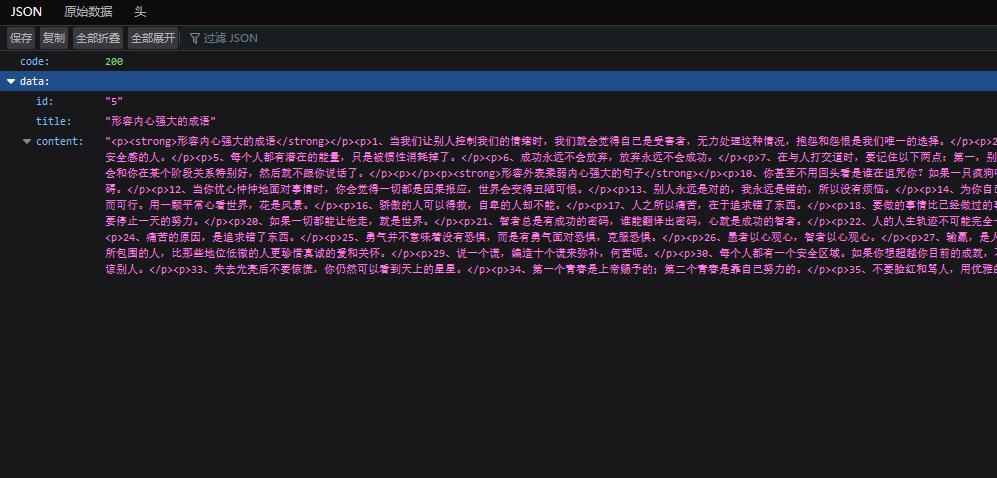
If you want to allow other websites to access your Empire CMS-powered website via an API interface, you can create an `api` folder within your root directory, then create an `index.php` file inside it and place the following code inside: Upon accessing the file, you will be able to view your articles! Here is a simple code demo: `<?php require('../class/connect.php');?>/...`
👁 468
EmpireCMS uses PHP to directly submit data for updating articles.

EmpireCMS uses PHP to directly submit data for updating articles. Program Notes Empire cms Language Notes PHP

Submitted code: While having some free time, I took the time to thoroughly study the Train Engine module and integrate it with Empire CMS, resulting in the following code. Experienced PHP developers are welcome to modify this code; however, this is merely a simple submission script – the data must be configured manually! <?php $url = "http://www.4s5.cn/e/admin/123.php"; // Replace this with the actual URL where the data should be received...
👁 385
What is the optimal number of data sub-tables for EmpireCMS? How should published data be distributed across sub-tables? How can a million records in EmpireCMS be evenly distributed across multiple sub-tables?

What is the optimal number of data sub-tables for EmpireCMS? How should published data be distributed across sub-tables? How can a million records in EmpireCMS be evenly distributed across multiple sub-tables? Program Notes Empire cms Practical Collection empire plugin

How many data rows should be split into separate tables for EmpireCMS? 1. For a database size of 50 GB, it is advisable to create a new main table; 2. For a dataset of 50,000 rows or more, create a new secondary table and set this newly created secondary table as the current storage table; [Some recommend splitting the entire dataset into a single table when the data volume reaches 100,000 rows.] An excessively large dataset has resulted in extremely high I/O read/write operations on the MySQL database, leading to excessive server load. This is particularly noticeable when performing backend operations in EmpireCMS – especially for sections with large data volumes; this was the case on my website before I implemented table partitioning...
👁 683
Empire CMS modifies PHP and directly sets the article calling conditions that are less than the article publishing time (newstime)

Empire CMS modifies PHP and directly sets the article calling conditions that are less than the article publishing time (newstime) Program Notes Empire cms

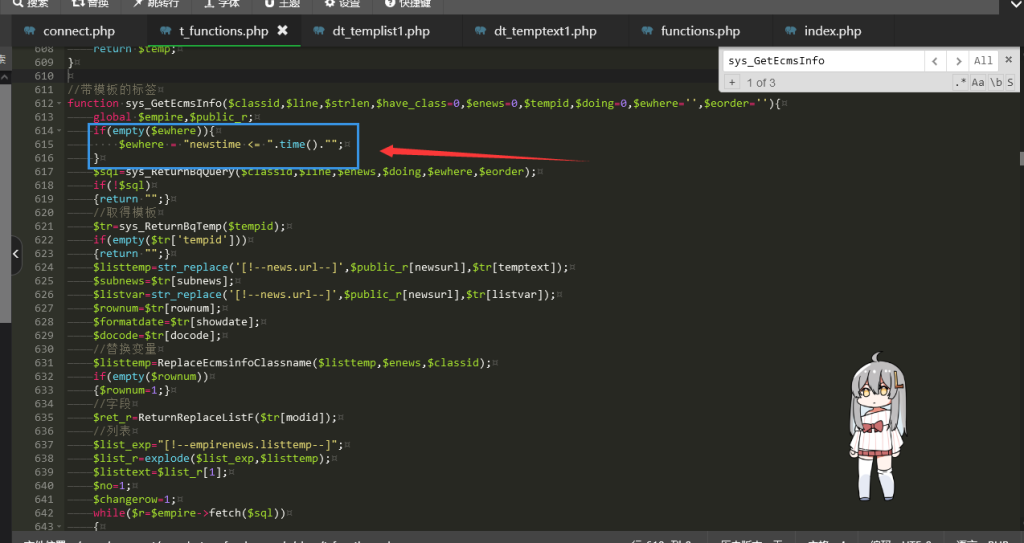
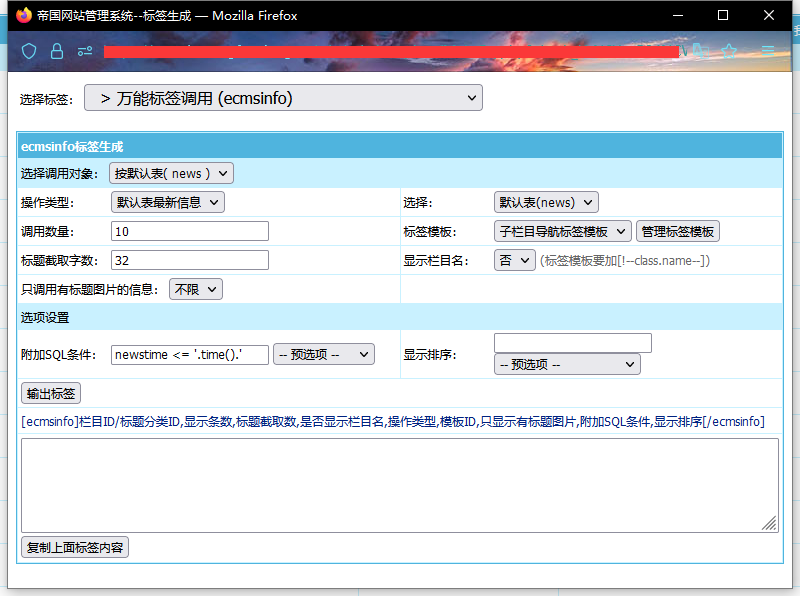
Continue with the previous article! "A method to publish tens of millions of articles regularly without manual intervention in the dynamic mode of Empire CMS"! In this article, your website can store tens of millions of articles, and ensure that you do not need to automatically review and publish every day! But you need to modify the call of the template and set it to: newstime &lt;= '.time().'After thinking about it, I found that some websites have too many calls. If you fix them one by one...
👁 441
In Empire CMS' Dynamic Mode, thousands of articles can be scheduled for automated publishing without any manual intervention.

In Empire CMS' Dynamic Mode, thousands of articles can be scheduled for automated publishing without any manual intervention. Program Notes Empire cms

I had previously looked into the review functionality of Empire CMS; for some unknown reason, when I published an article using Trenhuo to Empire CMS and set the status to "Not Reviewed," the article would automatically be flagged for review shortly after – it was really troublesome! To avoid wasting too much time, I didn't delve deeper into this feature. However, since I need to use the review function again recently, this has become quite a headache! With tens of millions of articles published via Trenhuo being placed in the "Not Reviewed" queue, the process is incredibly cumbersome! So, I decided to do some research and adopt a different approach – I no longer rely on the "Not Reviewed" function...
👁 764
PHP script for automatically refreshing the Empire Tag page

PHP script for automatically refreshing the Empire Tag page Program Notes Empire cms

I wrote a PHP script to automatically access and refresh the Empire Tag page; it's not particularly useful right now, but might come in handy in the future... Just place the code in the `/e/tags` directory and access it – you may need to make appropriate modifications to the URL links in the code. Combining this with a caching mechanism will yield excellent results. <?php require('../class/connect.php '); require('../class/...');
👁 253
Empire cms multi-condition query IN query

Empire cms multi-condition query IN query Program Notes Empire cms

In Empire CMS, I occasionally need to use in query, which is a multi-condition query: When using this, I found that the IN query could not find my results, so I searched the PHP code and found that the following function needs to be modified! function SearchDoKeyboard($f,$hh,$keyboard){ // print_r($keyboard);echo…
👁 223
1 2 3 4 10