Here is a screenshot:
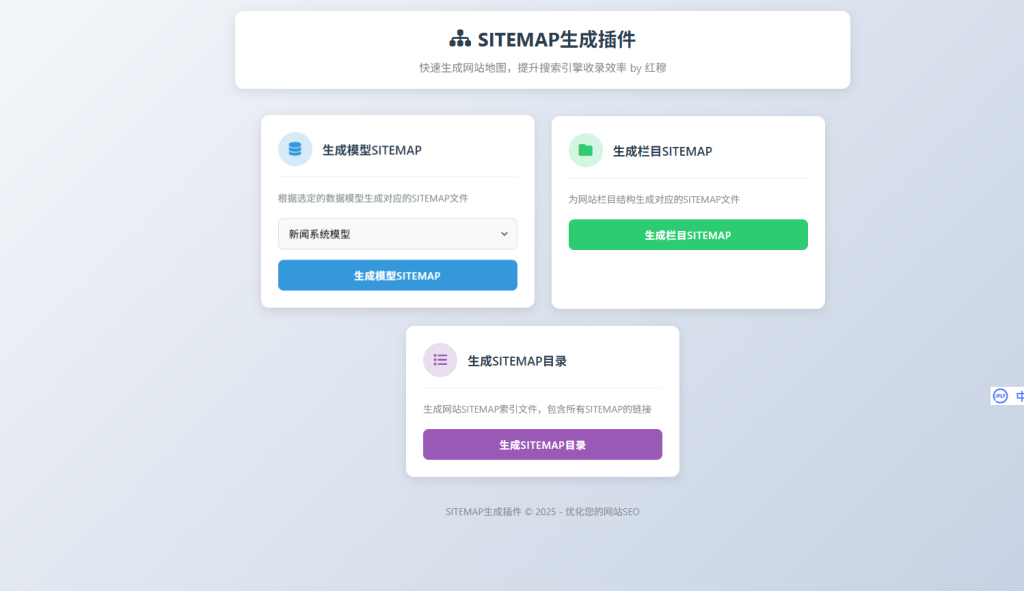
source
Found the code online and performed a simple optimization.
First, please complete and accurately enter the website address in the System Settings section.
thenconfig.phpThe URL in the document must also be entered correctly.
I like to...sitemap.xmlPlace it in the root directory for easier web crawling; therefore, the sitemap.xml file is located in the root directory.
Other XML files should be placed in their corresponding directories.
If your website handles a large amount of data, please use this plugin; if your data volume is small, you can use the code provided in this article!
《Empire uses PHP to generate sitemap files》
direction for use
Edit configuration file:
- open
config.phpOpen the document and replace the URL within it with your own URL.
- open
Folder Copy:
- support
sitemapCopy folder to:/e/extendIn the Contents section.
- support
Backend Settings:
- Log in to the EmpireCMS backend and click on in sequence; system -> Extended Menu -> Management Menu。
- In the Management Menu, add a category named "Sitemap Generation Plugin" with the type set to "Plugin Menu", then click "Add".
- In the "Sitemap Generation Plugin" management menu, add a new menu item named "Sitemap Generation", and enter the link address:
你的域名/e/extend/sitemapSelect "Diamond Mode Link", then click "Add".
accomplish:
- Once the settings are completed, you can use the plugin to generate a sitemap.
matters need attention
- Please ensure that the plugin folder path is correct to prevent the plugin from failing to function properly due to path-related issues.
- When modifying the configuration file, make sure the URL is entered correctly to avoid generating an incorrect sitemap file.
Compatible versions
- EmpireCMS 7.5
autogeneration
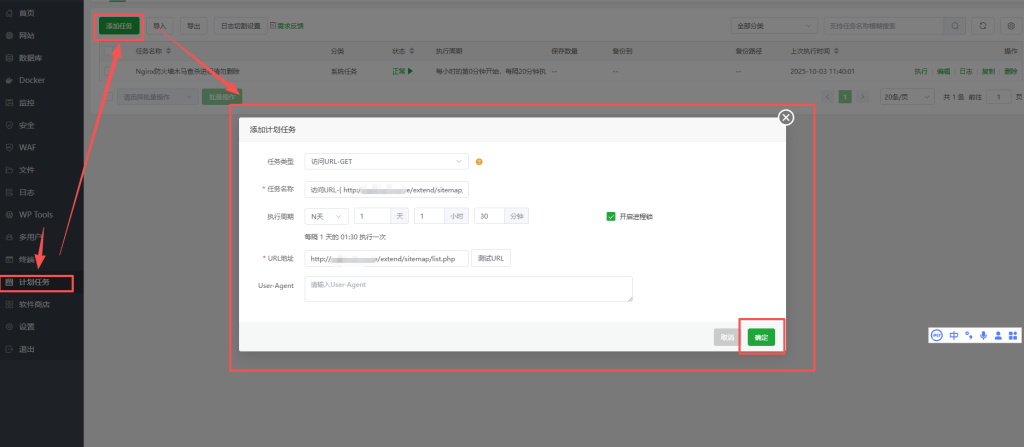
If you wish to enable automatic updates, you can use the Baota Scheduled Tasks to schedule regular updates of the sitemap.xml file!
域名/e/extend/sitemap/list.php