problem description:
My WordPress site is hosted on a server using the Baota Panel; PHP 8.0 has been installed, and Redis has been added via the Extension Panel.
When you install the Redis Object Cache plugin in WordPress, usually nothing special is required – simply start the plugin, and you're all set.
However, not setting a password for Redis is highly insecure and represents a risky security vulnerability; therefore, I still recommend configuring a password. However, after setting a password, the WordPress Redis Object Cache plugin will no longer be able to start.
terms of settlement
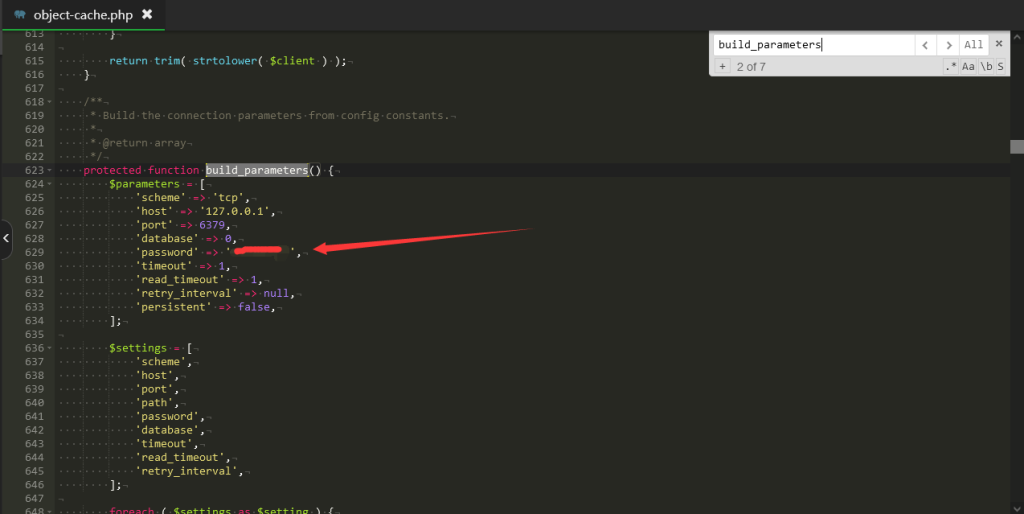
Path: /wp-content/plugins/redis-cache/includes; locate object-cache.php
The file contains approximately 620 lines; locate the `protected function build_parameters` and add a parameter line below it.
'password' => '*********',
After joining:
Restart everything, reconnect everything – all set!