First, connect to the database.
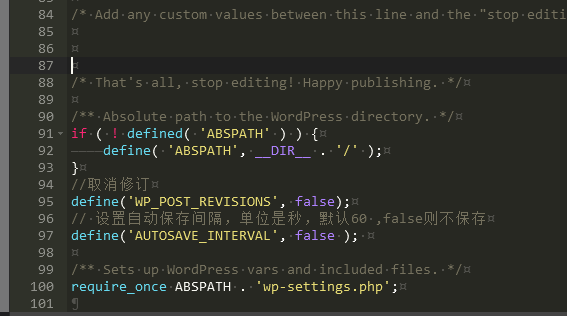
To connect to a WordPress database, you need to include the relevant code in your PHP file.wp-config.phpFile: This file contains database configuration information for WordPress installation and other constants.
Here is a simple example demonstrating how to introduce it.wp-config.phpRead the file and establish a database connection:
// 引入 wp-config.php 文件
require_once('path/to/wp-config.php');

// 获取数据库连接
$dsn = "mysql:host=" . DB_HOST . ";dbname=" . DB_NAME;
$dbh = new PDO($dsn, DB_USER, DB_PASSWORD);
In this example, we first userequire_once()Function Introductionwp-config.phpFile. Then, we use the constants defined in that file (e.g.DB_HOST、DB_NAME、DB_USER和DB_PASSWORD) To establish a PDO database connection. The PDO (PHP Data Object) library is used here to connect to the database; however, you can also use other libraries or functions for database connection – for specific methods, please refer to the relevant documentation or tutorials.
For Your Attention,wp-config.phpThe file contains sensitive database information, such as database usernames and passwords; therefore, when deploying the website, ensure the security of this file—for example, by placing it in a directory that the web server cannot access directly.
Execute SQL operations
Once introducedwp-config.phpOnce you have the file and obtained a database connection, you can use the functions provided by WordPress to perform database operations. Below is a simple example demonstrating how to query the database.wp_postsAll article titles in the table:
In this example, we first userequire_once()Function Introductionwp-config.phpOpen the document and then use it.PDOAcquire a database connection from the database. Then, we use it.$dbh->query()The function executes an SQL query and saves the results into a PDOStatement object. Finally, we use aforeachIterate through the result set and output the title of each article.
Note: The query statement here useswp_postsThe table name; this is because WordPress adds a prefix when creating database tables (the default iswp_This helps distinguish between different WordPress installations. Therefore, if you used a different prefix during the WordPress installation, the table name in the query statement should also be adjusted accordingly.
It is important to note that when performing database queries, care should be taken to prevent SQL injection attacks; therefore, appropriate measures should be taken.$dbh->prepare()The function prepares a secure SQL query and uses bound parameters to prevent input data from being misinterpreted as SQL code. For example:
In this example, we use$dbh->prepare()The function prepares a secure query, then uses it.$query->bindParam()Bind input parameters to functions. This ensures that queries are secure and prevents input parameters from being misinterpreted as SQL code.