Windows system
View via settings
Win10/Win11:
Open设置>系统>关于> View in “Device Specifications” System type, it will indicate "64-bit operating system" or "32-bit operating system".Win7/Win8:
Right click计算机(or “This PC”) >属性, view it in "System Type".
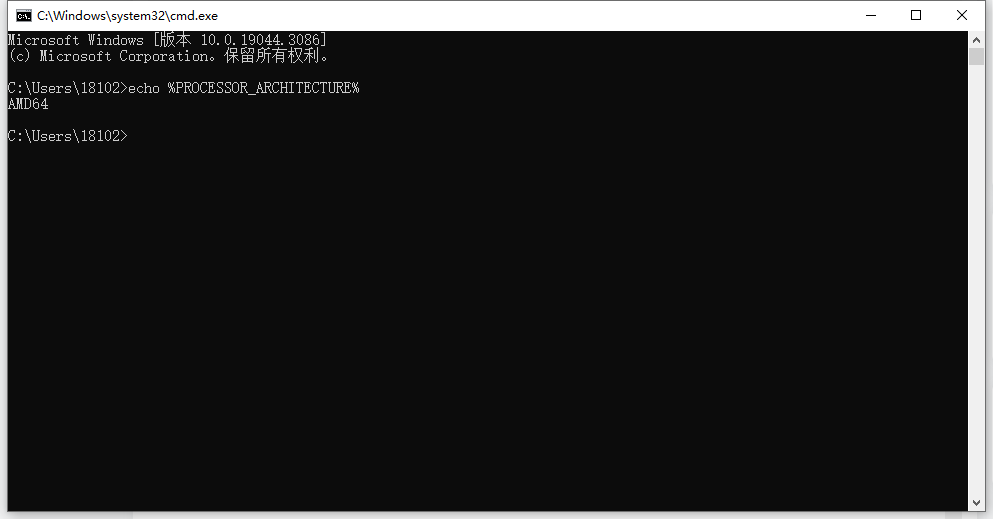
via command prompt
按Win + R,entercmdPress Enter and enter in the command prompt:If displayed
AMD64Then it is 64 bits;x86Then it is 32 bits.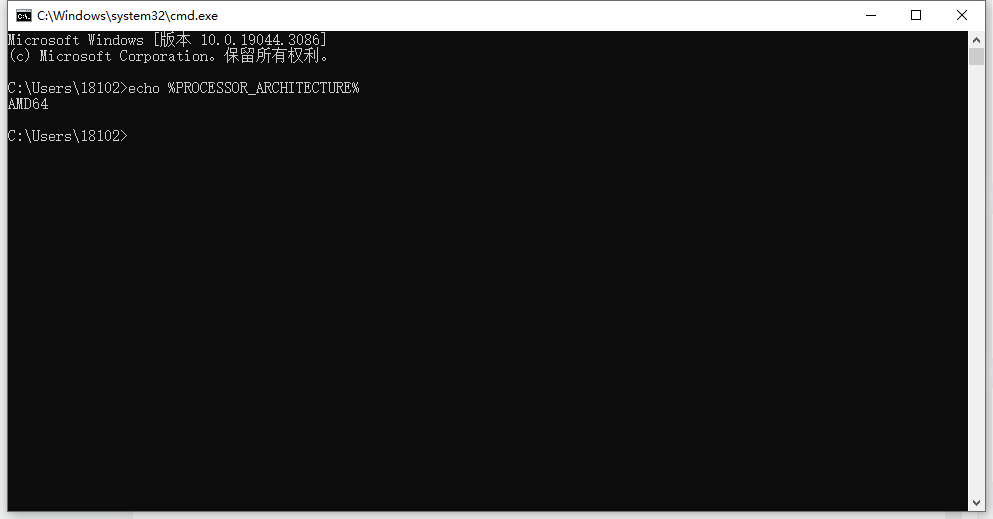
Task manager (assisted judgment)
按
Ctrl + Shift + EscOpen the task manager and enter性能tab page.If it shows “x64” It is a 64-bit system,“x86” Then it is 32 bits.
macOS system
Apple's macOS is a 64-bit system (it has been fully transitioned to 64-bit since 10.7 Lion), so there is no need to distinguish.
Linux system
Open a terminal (Ctrl+Alt+T) and enter one of the following commands:
uname -m或
archIf displayed
x86_64或amd64It is 64-bit.If displayed
i386、i686etc. is 32 bits.
Key differences
32-bit system: Supports up to 4GB of memory and cannot run 64-bit software.
64-bit system: Supports larger memory, compatible with 32/64-bit software, and has better performance.
If the computer was purchased in recent years and has more than 4GB of memory, it is basically a 64-bit system.