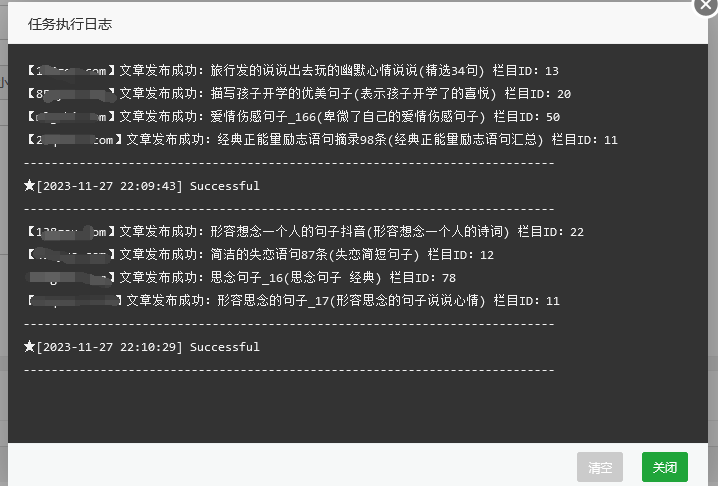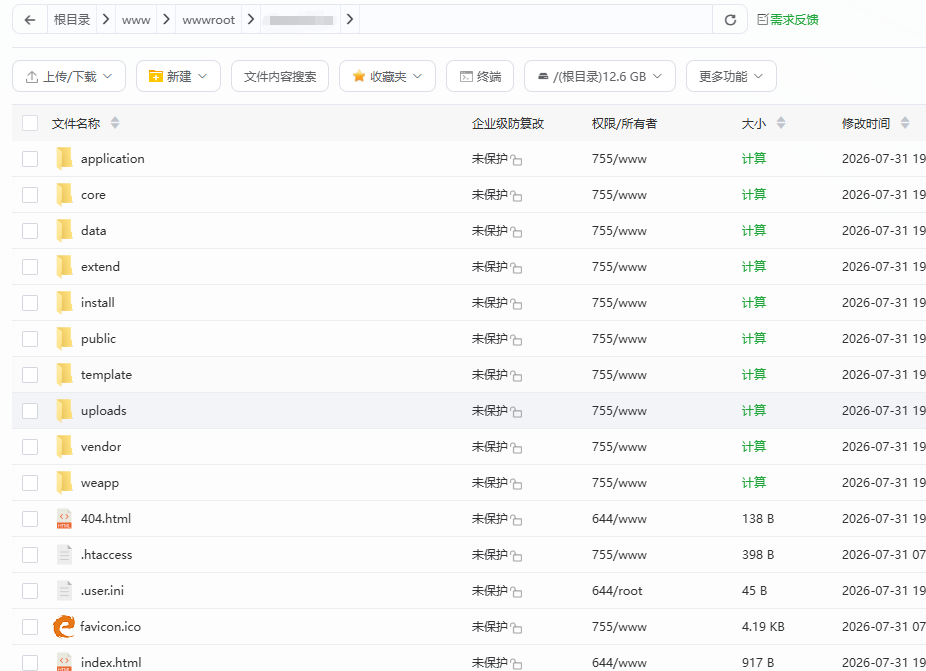
After downloading the YIYOU templates, I'm used to directly editing the articles, so I wrote a PHP script to batch-modify YIYOU articles!
include:
文章标题
文章内容
文章描述
文章关键词(对标题进行分词)
文章tag
文章发布时间
wait a minute!
The published article is sourced from the custom API interface of EmpireCMS!
The interface code is straightforward.:
<?php
header("content-type:application/json;charset=utf-8");

// token验证
$data['code'] = 404;
if($_GET['token'] !== $token = md5('自定义')){
    echo json_encode($data);
    die;
}

// 获取文章的id,避免网站重复获取数据
$file = 'id.txt';
$id = file_exists($file) ? file_get_contents($file) : 1;
// $id = 1;

// 连接数据库,获取数据
require('../class/connect.php');        //引入数据库配置文件和公共函数文件
require('../class/db_sql.php');        //引入数据库操作文件
$link=db_connect();                //连接MYSQL
$empire=new mysqlquery();        //声明数据库操作类
$r=$empire->fetch1("select * from {$dbtbpre}ecms_news where id={$id}");
if(!empty($r)){
    $r2=$empire->fetch1("select * from {$dbtbpre}ecms_news_data_{$r['stb']} where id={$r['id']}");
    if(!empty($r2)){
        $data['data']['id'] = $r['id'];
        $data['data']['title'] = $r['title'];
        $data['data']['content'] = $r2['newstext'];
        $data['code']   = 200;
    }
}

$id++;
file_put_contents($file,$id);
echo json_encode($data);

// 关闭数据库
db_close();
$empire=null;
The focus is on modifying the code at Yiyou.
隐藏内容:评论后查看
<?php
// token验证
$token = md5('自定义');
// 获取远程数据
$api = get_api('https://远程接口/e/api/juzi.php?token='.$token);
if(empty($api)){
    echo json_encode(['code'=>'404','message'=>'发布失败,获取内容为空!']);die();
}

// 匹配双标题
$api2 = getBaiduSuggestion($api['data']['title']);
if(!empty($api2)){
    $api['data']['title'] .= "($api2)";
}
// 向文中插入图片
$api['data']['content'] = insertImage($api['data']['content']);
// 关键词
$api3 = get_api("http://py.4s5.cn/jieba?title=".urlencode($api['data']['title']));
$keywords = '';
if(!empty($api3)){
    $keywords = implode(',',$api3);
}

// 定义数据库连接的参数
$database = require('../application/database.php');

// 创建数据库连接
$connection = mysqli_connect($database['hostname'], $database['username'], $database['password'], $database['database']);

// 检查连接是否成功
if (!$connection) {
    die("数据库连接失败: " . mysqli_connect_error());
}

// 设置字符集
mysqli_set_charset($connection, "utf8");
if(!file_exists('./lock.txt')){
    mysqli_query($connection, 'TRUNCATE `ey_taglist`;');
    mysqli_query($connection, "UPDATE `ey_archives` SET `update_time` = '0' ;");
    mysqli_query($connection, "TRUNCATE `ey_tagindex`");
    mysqli_query($connection, "TRUNCATE `UPDATE `ey_arctype` SET `seo_title` = '' ");
     mysqli_query($connection, "UPDATE `ey_archives` SET `update_time` = '0'; ");
    file_put_contents('./lock.txt',1);
}

// 构建文章数据数组
$sql = 'SELECT * FROM `ey_archives` where update_time < '.time().' limit 1 ';
$result = mysqli_query($connection, $sql);
if ($result) {
    $row = mysqli_fetch_assoc($result);
    if ($row) {
        // 修改标题、关键词、缩略图、描述、更新时间等字段的值
        $title = $api['data']['title'];
        $litpic = '/uploads/allimg/20241010/'.md5(mt_rand(1,106)).'.jpg';
        // $litpic = 'https://t.mwm.moe/fj/?'.(time() - mt_rand(1,9999));
        $description = mb_substr(strip_tags($api['data']['content']), 0, 160, 'utf-8');
        $updateTime = time()+86400; // 当前时间

        $sql = "UPDATE `ey_archives` SET `title` = '$title', `seo_keywords` = '$keywords', `litpic` = '$litpic', `seo_description` = '$description', `update_time` = '$updateTime',`add_time` = '$updateTime',`sort_order` = '$updateTime' WHERE `aid` = {$row['aid']}";

        if (mysqli_query($connection, $sql)) {
            echo "文章信息已成功修改【{$row['aid']}】<br>";
        } else {
            echo "修改文章信息失败: " . mysqli_error($connection);
        }
        // 修改文章内容
        // 获取要更新的正文内容
        $content = $api['data']['content'];
        $content = htmlspecialchars($content, ENT_QUOTES, 'UTF-8');

        // 更新文章的正文内容和更新时间
        $sql = "UPDATE `ey_article_content` SET `content` = '$content', `update_time` = '$updateTime' WHERE `aid` = {$row['aid']}";

        if (mysqli_query($connection, $sql)) {
            echo "文章正文已成功更新<br>";
        } else {
            echo "更新文章正文失败: " . mysqli_error($connection);
        }
        //更新tag的关系
        if(!empty($api3)){
            foreach ($api3 as $v) {
                 // 查询tag字段是否存在
                $sql = "SELECT * FROM ey_tagindex WHERE tag = '{$v}'";
                $result2 = $connection->query($sql);

                if ($result2->num_rows > 0) {
                    $rt = mysqli_fetch_assoc($result2);
                    // tag字段存在,执行其他操作
                    echo "tag字段【{$v}】已存在<br>";
                    $tagid = $rt['id'];
                } else {
                    // tag字段不存在,插入新记录
                    $tag = $v; // 要插入的tag值

                    // 获取当前时间
                    $addTime = time(); // 当前时间

                    // 插入新记录
                    $insertSql = "INSERT INTO `ey_tagindex` (`id`, `tag`, `typeid`, `count`, `total`, `weekcc`, `monthcc`, `weekup`, `monthup`, `is_common`, `lang`, `add_time`, `update_time`) VALUES (NULL, '$tag', '{$row['typeid']}', '0', '2', '0', '0', '$addTime', '$addTime', '0', 'cn', '$addTime', '$addTime')";

                    if ($connection->query($insertSql) === TRUE) {
                        echo "新TAG已成功插入<br>";
                    } else {
                        echo "<br>插入新TAG失败: " . $connection->error;
                    }
                    $tagid = mysqli_insert_id($connection);
                }
                // 插入tag关系
                $sql = "SELECT * FROM ey_taglist WHERE aid = '{$row['aid']}' and tag = '{$v}'";
                $result3 = $connection->query($sql);

                if ($result3->num_rows > 0) {
                    $rt = mysqli_fetch_assoc($result3);
                    // tag字段存在,执行其他操作
                    echo "tag关系【{$v}】已存在<br>";
                } else {
                    // tag关系字段不存在,插入新记录
                    $tag = $v; // 要插入的tag值
                    $updateTime = time(); // 当前时间作为update_time字段的值

                    // 构建插入SQL语句
                    $sql = "INSERT INTO `ey_taglist` (`tid`, `aid`, `typeid`, `tag`, `arcrank`, `lang`, `add_time`, `update_time`) VALUES ('$tagid', '{$row['aid']}', '{$row['typeid']}', '$v', '0', 'cn', '$updateTime', '$updateTime') ";

                    // 执行插入操作
                    if ($connection->query($sql) === TRUE) {
                        echo "新TAG关系已成功插入<br>";
                    } else {
                        echo "<br>插入新TAG关系失败: " . $connection->error;
                    }
                }
            }
        }
        echo '<meta http-equiv="refresh" content="0;">';
    } else {
        echo "<br>未找到匹配的数据<br>";
    }

    // 释放结果集内存
    mysqli_free_result($result);
} else {
    echo "<br>查询失败: " . mysqli_error($connection);
}

// 关闭数据库连接
mysqli_close($connection);

function get_api($durl, $cache = 0)
{
    // 初始化cURL会话
    $ch = curl_init();

    // 设置cURL选项
    curl_setopt($ch, CURLOPT_URL, $durl);          // 设置请求的URL
    curl_setopt($ch, CURLOPT_TIMEOUT, 5);          // 设置超时时间为5秒
    curl_setopt($ch, CURLOPT_RETURNTRANSFER, 1);   // 将结果通过变量返回,而不是直接输出

    // 获取Referer的主机部分
    $referer_host = parse_url($durl, PHP_URL_SCHEME) . '://' . parse_url($durl, PHP_URL_HOST);
    curl_setopt($ch, CURLOPT_REFERER, $referer_host);  // 设置Referer头,指定来源主机部分

    // 模拟浏览器访问的相关选项
    curl_setopt($ch, CURLOPT_USERAGENT, 'Mozilla/5.0 (Windows NT 10.0; Win64; x64) AppleWebKit/537.36 (KHTML, like Gecko) Chrome/99.0.9999.999 Safari/537.36');  // 设置User-Agent头,模拟浏览器
    curl_setopt($ch, CURLOPT_HTTPHEADER, array(
    'Accept: application/json',
    'Content-Type: application/json; charset=utf-8'
    ));

    curl_setopt($ch, CURLOPT_SSL_VERIFYPEER, false);
    curl_setopt($ch, CURLOPT_SSL_VERIFYHOST, false);

    // 执行请求并获取响应结果
    $r = curl_exec($ch);

    // 关闭cURL会话
    curl_close($ch);

    // 解析JSON格式的响应结果,并返回解析后的数组
    return json_decode($r, true);
}

function getBaiduSuggestion($title) {
    // 如果$title超过7个字符,则截取前7个字符
    if (mb_strlen($title, 'utf-8') > 7) {
        $title = mb_substr($title, 0, 7, 'utf-8');
    }
    $title = urlencode($title);
    $api = "https://www.baidu.com/sugrec?pre=1&p=1&ie=utf-8&prod=pc&csor=2&wd=".$title."";

    $ch = curl_init();
    curl_setopt_array($ch, [
        CURLOPT_URL => $api,
        CURLOPT_TIMEOUT => 5,
        CURLOPT_RETURNTRANSFER => true,
    ]);

    $r = curl_exec($ch);
    curl_close($ch);

    $r = json_decode($r, true);

    if (!empty($r['g'])) {
        $suggestions = array_column($r['g'], 'q');
        $randomIndex = array_rand($suggestions);
        return $suggestions[$randomIndex];
    } else {
        return false;
    }
}

function insertImage($content) {
    preg_match_all('/<\/p>/', $content, $matches, PREG_OFFSET_CAPTURE);
   $content = str_replace('<h2>','<h3>',$content);
    $content = str_replace('</h2>','</h3>',$content);
    // 如果存在 </p> 标签
    if (!empty($matches[0])) {
        $count = count($matches[0]); // </p> 标签的数量

        // 对每个匹配位置应用回调函数
        $content = preg_replace_callback(
            '/<\/p>/',
            function($match) {
                static $insertCount = 0;
                $insertCount++;

                // 每隔五个 </p> 插入一张图片
                if ($insertCount % 5 == 0) {
                    return $match[0] . '<p style="text-align:center"><img src="/uploads/allimg/20241010/'.md5(mt_rand(1,106)).'.jpg"></p>';
                } else {
                    return $match[0];
                }
            },
            $content,
            $count - 1 // 限制替换次数为匹配到的 </p> 标签数量减一
        );
    }

    return $content;
}