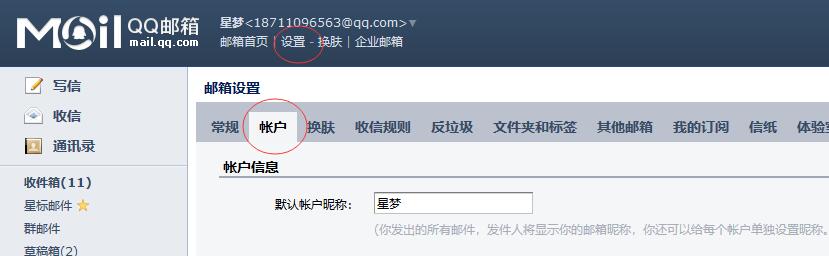
1. Log in to QQ mailbox and find Settings>Account
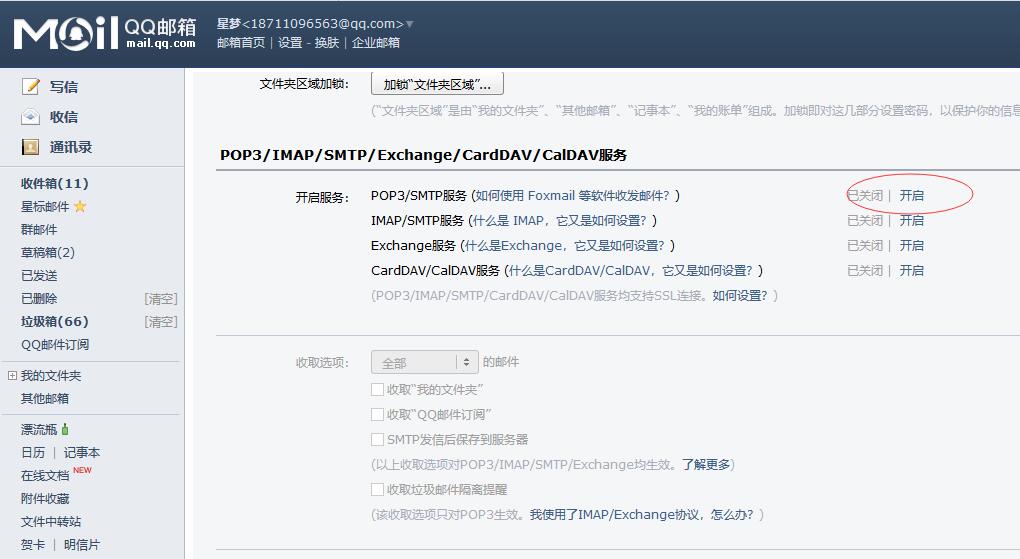
2. Pull down to find the SMTP service settings. We are sending messages, so both the first and second ones are OK. Both have SMTP services. We choose the first one and click to open it.
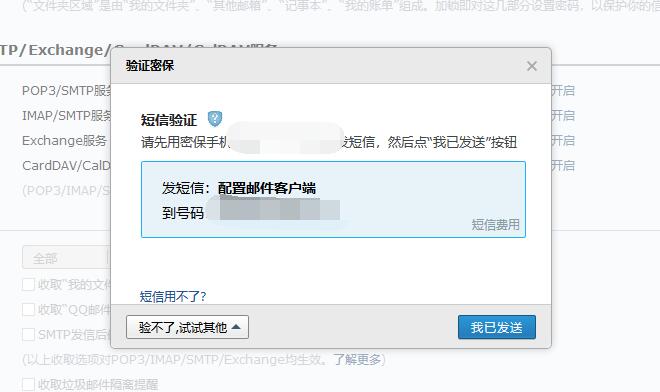
3. Security verification. Here we choose to send text messages. According to the page prompts, we use the mobile phone to send text messages. After completion, click I have sent.
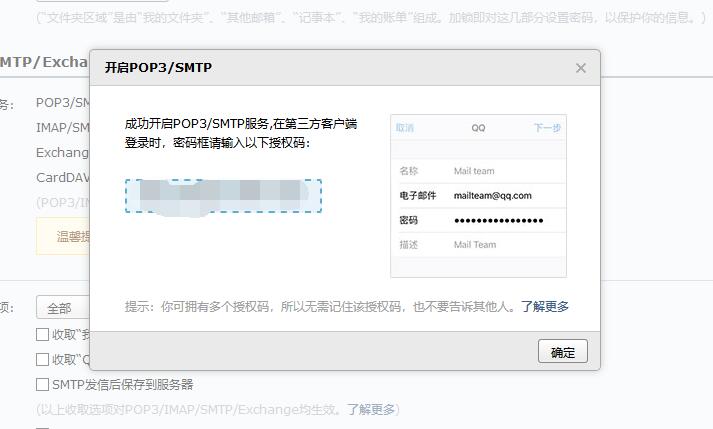
4. Remember the authorization code below and copy it to the clipboard. This authorization code is used to fill in the email password in the PB background.
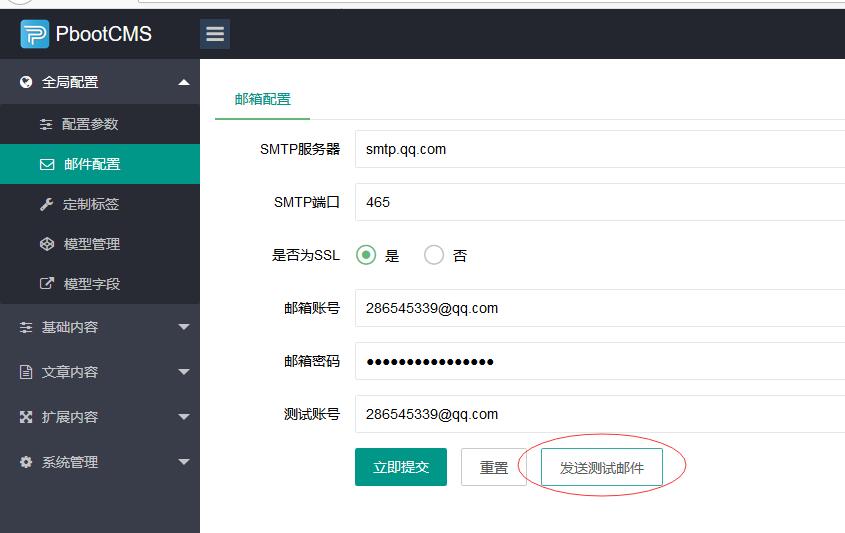
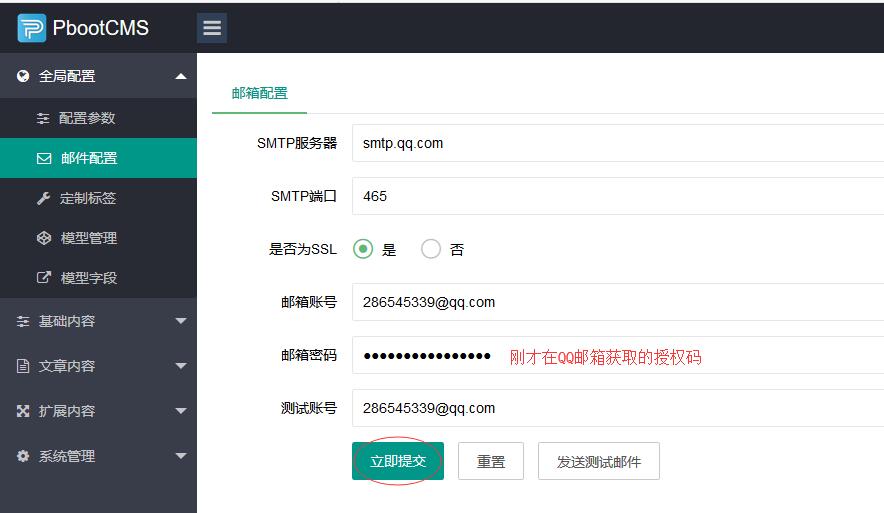
5. Log in to the PB management background, find the email configuration, refer to the picture below, fill in your email information, note that the server and port remain the same as the picture below, fill in the rest with your own email information
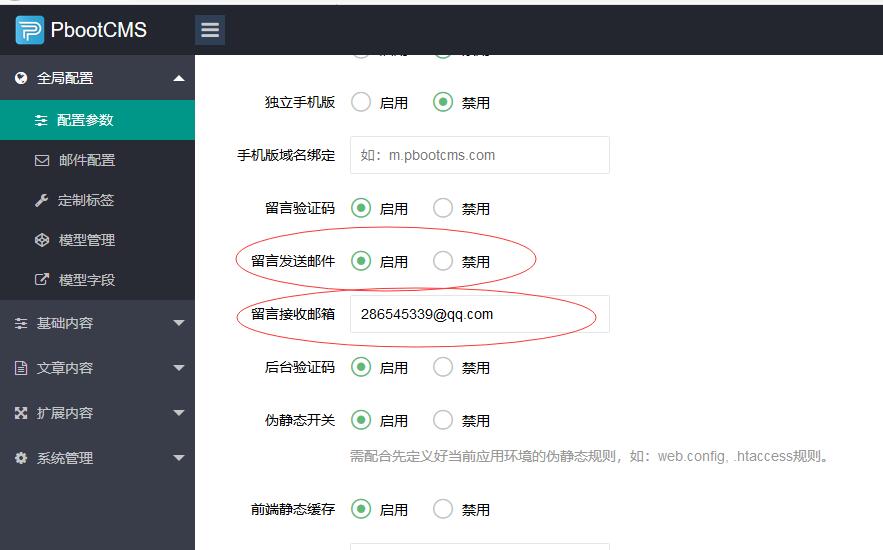
6. Go to the configuration parameters to enable the function of sending messages to email, turn on the switch and fill in the email address for accepting messages.
7. Send a test email for testing