1. Upload to your own host, enter the domain name to open, and the authorization page will appear. Go directly to the official website of pbootcms for authorization (free). If a 404 appears on the homepage, go to the backend first and fill in the authorization code.
Access code address: https://www.pbootcms.com/freesn/
2. Log in to the backend, login method: your domain name/admin.php
Account: admin
Password:admin
3. Backstage - Global Configuration - At the bottom of the configuration parameters, fill in the authorization code you just applied for:
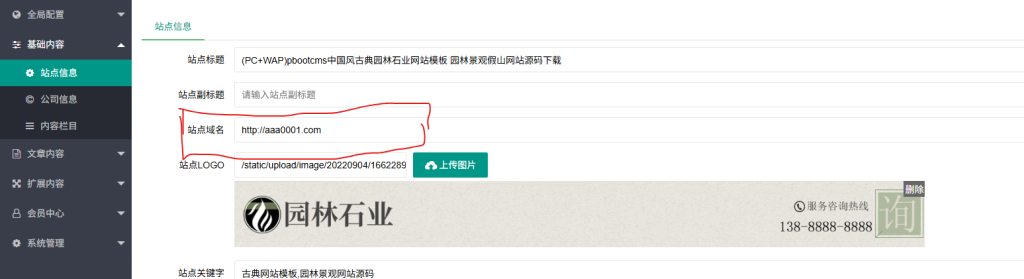
![20260730093817127-1-21093013560L27[1]](https://www.4s5.cn/wp-content/uploads/2026/07/20260730093817127-1-21093013560L271.jpg) 4. Change the site information to the domain name you are currently using.
4. Change the site information to the domain name you are currently using.
 Complete:
5. For pseudo-static issues, please refer to: "pbootcms pseudo-static tutorial》