Hongmu Notes
Home Language Notes PHP+HTML+bootstrap simple page verification, beautiful
Language Notes PHP Summary of pitfalls

PHP+HTML+bootstrap simple page verification, beautiful

PHP+HTML+bootstrap simple page verification, beautiful

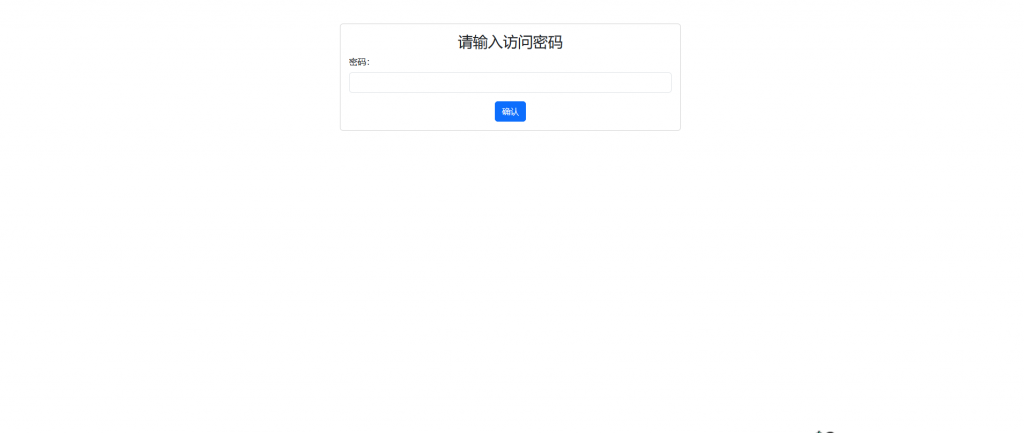
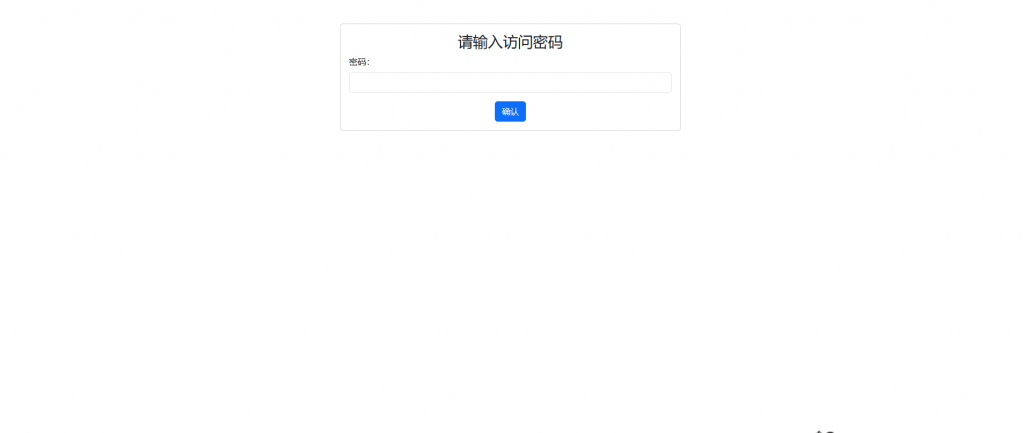
For the rendering image, simply enter your password to access the original page.

Super simple, super easy-to-use code!
20240705225405873-图片

Code:

// 验证密码逻辑
$correct_password = 'www.4s5.cn'; // 设置正确的密码
$is_authenticated = false;

if (isset($_POST['password'])) {
    if ($_POST['password'] === $correct_password) {
        $is_authenticated = true;
    } else {
        echo "<script>alert('密码错误,请重新输入!');</script>";
    }
}

// 如果未经过验证,显示密码输入框
if (!$is_authenticated) {
    echo '
        <!DOCTYPE html>
        <html lang="zh-CN">
        <head>
          <meta charset="UTF-8">
          <meta name="viewport" content="width=device-width, initial-scale=1.0">
          <title>密码验证</title>
          <link href="https://cdn.bootcdn.net/ajax/libs/twitter-bootstrap/5.3.0-alpha1/css/bootstrap.min.css" rel="stylesheet">
        </head>
        <body>
          <div class="container mt-5">
            <div class="row justify-content-center">
              <div class="col-md-6">
                <div class="card">
                  <div class="card-body">
                    <h3 class="card-title text-center">请输入访问密码</h3>
                    <form method="post">
                      <div class="mb-3">
                        <label for="password" class="form-label">密码:</label>
                        <input type="password" class="form-control" id="password" name="password" required>
                      </div>
                      <div class="text-center">
                        <button type="submit" class="btn btn-primary">确认</button>
                      </div>
                    </form>
                  </div>
                </div>
              </div>
            </div>
          </div>
          <script src="https://cdn.bootcdn.net/ajax/libs/jquery/3.6.0/jquery.min.js"></script>
          <script src="https://cdn.bootcdn.net/ajax/libs/twitter-bootstrap/5.3.0-alpha1/js/bootstrap.bundle.min.js"></script>
        </body>
        </html>
    ';
    exit; // 停止加载原页面内容
}

Here is the advanced version of the code!

After entering your password, you can enable caching.

Refresh again – no need to enter anything else.

session_start();

$correct_password = 'www.4s5.cn'; // 设置正确的密码

// 检查是否已验证过且未过期
if (isset($_SESSION['password_verified']) && $_SESSION['password_verified'] === true) {
    // 检查过期时间
    if (isset($_SESSION['password_expire']) && $_SESSION['password_expire'] >= time()) {
        // 验证通过,继续执行页面加载
        // 你的页面内容和逻辑放在这里
    } else {
        // 过期了,要求重新输入密码
        unset($_SESSION['password_verified']);
        unset($_SESSION['password_expire']);
        require_password();
    }
} else {
    // 如果是第一次访问或者验证未通过,要求输入密码
    require_password();
}

function require_password() {
    if (isset($_POST['password'])) {
        global $correct_password;

        // 验证密码
        if ($_POST['password'] === $correct_password) {
            // 设置验证通过的 Session 变量和过期时间
            $_SESSION['password_verified'] = true;
            $_SESSION['password_expire'] = time() + (2 * 24 * 60 * 60); // 两天后的时间戳

            // 重定向或继续加载页面
            header('Location: ' . $_SERVER['PHP_SELF']);
            exit;
        } else {
            echo "<script>alert('密码错误,请重新输入!');</script>";
        }
    }

    // 显示密码输入框的 HTML
    echo '
        <!DOCTYPE html>
        <html lang="zh-CN">
        <head>
          <meta charset="UTF-8">
          <meta name="viewport" content="width=device-width, initial-scale=1.0">
          <title>密码验证</title>
          <link href="https://cdn.bootcdn.net/ajax/libs/twitter-bootstrap/5.3.0-alpha1/css/bootstrap.min.css" rel="stylesheet">
        </head>
        <body>
          <div class="container mt-5">
            <div class="row justify-content-center">
              <div class="col-md-6">
                <div class="card">
                  <div class="card-body">
                    <h3 class="card-title text-center">请输入访问密码</h3>
                    <form method="post">
                      <div class="mb-3">
                        <label for="password" class="form-label">密码:</label>
                        <input type="password" class="form-control" id="password" name="password" required>
                      </div>
                      <div class="text-center">
                        <button type="submit" class="btn btn-primary">确认</button>
                      </div>
                    </form>
                  </div>
                </div>
              </div>
            </div>
          </div>
          <script src="https://cdn.bootcdn.net/ajax/libs/jquery/3.6.0/jquery.min.js"></script>
          <script src="https://cdn.bootcdn.net/ajax/libs/twitter-bootstrap/5.3.0-alpha1/js/bootstrap.bundle.min.js"></script>
        </body>
        </html>
    ';
    exit; // 停止加载原页面内容
}
// 继续加载原页面内容


 

微信赞赏

WeChat

支付宝赞赏

Alipay

✍️ Author: Hong Mu

webmaster · Thanks for reading, stay tuned for more exciting content

Author homepage View home page →

Related articles

PHP ob function record

PHP ob function record Language Notes PHP

Usage of the following three functions ob_get_contents(); ob_end_clean(); ob_start(); You can use these functions to buffer local files and execute local script code. Use ob_start() to save the output code into the buffer, and the page will not be displayed; then use ob_get_contents to get the data in the buffer. o…
👁 141
PHP preg

PHP preg Language Notes PHP

The preg_match_all function is used to perform a global regular expression match. preg_match_all() Syntax int preg_match_all ( string $pattern , string $subject [, array &$matches [, int $flags = PREG…
👁 169
Detailed explanation of PHP ternary operator and if

Detailed explanation of PHP ternary operator and if Language Notes PHP

Ternary operator condition ? Result 1 : Result 2 Explanation: The position in front of the question mark is the condition for judgment. If the condition is met, the result is 1, and if it is not met, the result is 2. This article compares and explains the ternary operator and if...else... in detail. I hope it will be helpful to everyone. Today when I was revising my paper online, I encountered a statement that I couldn’t understand: $if_summary = $row['IF_SUMMARY']=…
👁 189
PHP cast type

PHP cast type Language Notes PHP PHP collection PHP and mysql

Get the data type 1. If you want to check the value and type of an expression, use var_dump(). 2. If you just want to get an easy-to-read type expression for debugging, use gettype(). 3. To check a certain type, do not use gettype(), but use the is_type() function. Converting Strings to Numbers When a string is evaluated as a number, the result is determined according to the following rules...
👁 232

Recommended reading

High-end whole-house solid wood custom furniture website template – 0017

High-end whole-house solid wood custom furniture website template – 0017 Practical Collection Yiyou template

An eYouCMS website template designed for high-end whole-house solid wood custom furniture businesses. Its luxurious and sophisticated design effectively showcases custom solid wood furniture, whole-house renovation projects, and design concepts, helping premium furniture customization brands attract high-quality customers online. Template Display | Installation Instructions | Website Backend: /login.php | Username: admin | Password: admin | Related Articles: Summary of Common Installation Questions for eYouCMS | eYouCMS...
👁 45
(Adaptive mobile version) Responsive pet-related information website template (PBootCMS); Download source code for a pet blog experience website – 0595

(Adaptive mobile version) Responsive pet-related information website template (PBootCMS); Download source code for a pet blog experience website – 0595 Practical Collection pbootcms Template

A responsive PbootCMS website template for pet-related content and blog sharing, compatible with both PC and WAP devices. Its warm and charming design makes it ideal for pet enthusiasts to share their pet care experiences, interesting stories, and knowledge. This template helps pet bloggers build online communities and attract like-minded followers. Template Preview | Installation Instructions | Website Admin Panel: /admin.php | Username: admin | Password: admin | Extraction Password: www.4s5.cn | Related Articles...
👁 39
Responsive Valve Manufacturing Website Template 0637

Responsive Valve Manufacturing Website Template 0637 Practical Collection Yiyou template

This EyouCMS responsive template is ideal for the valve manufacturing industry, featuring a professional industrial design style that effectively showcases valve products, manufacturing processes, technical specifications, and industrial applications. It helps valve manufacturing enterprises demonstrate their product capabilities online and attract industrial customers. Template Display | Installation Instructions | Website Backend: /login.php | Username: admin | Password: admin | Related Articles: Summary of Common Installation Issues for EyouCMS | EyouCMS (...
👁 41
Sheet Metal Processing & Manufacturing Website Template 0018

Sheet Metal Processing & Manufacturing Website Template 0018 Practical Collection Yiyou template

This EYO CMS template is ideal for sheet metal processing and manufacturing enterprises. Its robust and professional design effectively showcases sheet metal products, manufacturing processes, and industrial applications. It helps sheet metal manufacturing companies demonstrate their production capabilities online and attract industrial manufacturing clients. Template Display | Installation Instructions | Website Backend: /login.php | Username: admin | Password: admin | Related Articles: Summary of Common Installation Issues for EYO CMS | EYO CMS (Eyo...
👁 66
Can Sphinx PHP perform a single search for multiple terms at once?

Can Sphinx PHP perform a single search for multiple terms at once? Program Notes sphinx

Yes, Sphinx allows you to search for multiple terms in a single query. You can use multiple keywords in your search query to search for text within an index. For example, here is a simple PHP code snippet that uses the Sphinx API to perform a search across multiple keywords: require_once('sphinxapi.php'); // Connect to the Sphinx server $sphinx = new S...
👁 267