Hongmu Notes
Home Program Notes Empire cms

Empire cms

Commonly used and practical Empire CMS codes – a collection of code snippets utilized in Empire CMS, such as those for creating and invoking navigation menus, implementing pagination, and performing various database queries, among others.

High-efficiency random calls for the entire empire cms site (millisecond-level calls)

High-efficiency random calls for the entire empire cms site (millisecond-level calls) Program Notes Empire cms

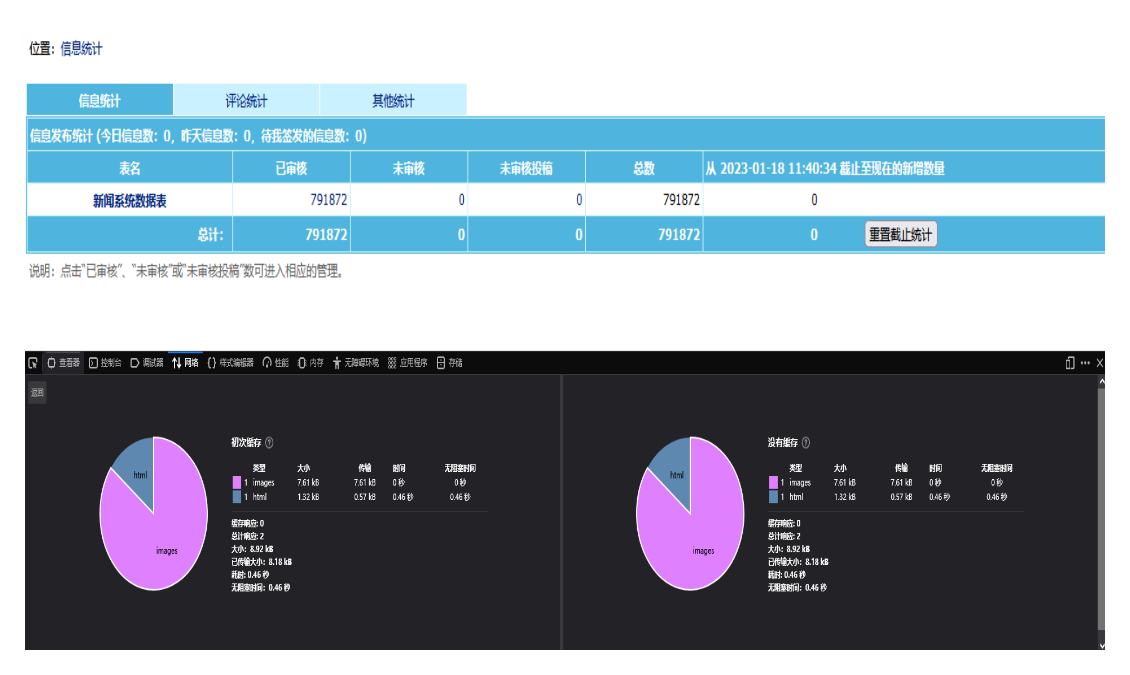
Features: Exceptional invocation efficiency – a random data invocation test involving 790,000 records took only 500 milliseconds. The invocation can be targeted to specific columns or to the entire table. Simple installation – requires just a single PHP function: `function ecms_rand($classid, $num) {global $empire, $dbtbpre;...}`

👁 408
Empire cms scroll to load more articles

Empire cms scroll to load more articles Program Notes Empire cms

To load content manually, you will need to use PHP + jQuery + AJAX: Create a new PHP file named get_news_index.php and upload it to the /e/action directory: <?php require('../class/connect.php'); require('../class/dbSql.php');...
👁 281
There are too many articles in Empire CMS and the backend is stuck like a dog. How to solve it?

There are too many articles in Empire CMS and the backend is stuck like a dog. How to solve it? Program Notes Empire cms

Recently, the Empire CMS database contained millions of articles; when I tried to load a page via the backend, I noticed that the page was extremely laggy – almost every page experienced similar performance issues. So, I began investigating the problem. The root cause turned out to be a specific PHP file used for refreshing pages in Empire CMS; as the number of articles grew, loading this PHP file for page refreshes became significantly slower. The solution was to locate that specific page-refreshing file and optimize it. However, after resolving the issue, I had somehow forgotten to record the filename – now I need to find it again...
👁 382
Empire cms collects article keywords and generates them

Empire cms collects article keywords and generates them Program Notes Empire cms

Code is always just a simple matter – as long as you have a word segmentation API, nothing should be a problem! Here's some PHP code: <?php echo' <meta http-equiv="refresh" content="2"/> '; require('../e/...');
👁 257
Empire cms related search call optimization

Empire cms related search call optimization Program Notes Empire cms

Within the Empire framework, I have a new idea: to add a custom table that stores the keywords for all articles and aggregates the corresponding article IDs – essentially creating a search aggregation feature. The advantage of this approach is that it allows you to retrieve articles containing specific keywords directly within the article itself, effectively replacing Empire's built-in related search aggregation functionality! This is because Empire's native related search aggregation feature is too slow – it relies on SQL fuzzy matching and handles datasets of over 100,000 records; if your server performance is suboptimal...
👁 354
Imperial cms commonly used calling code SEO direction

Imperial cms commonly used calling code SEO direction Program Notes Empire cms

It is troublesome to find codes every time for website optimization, so I will give some backup here, including some custom functions. In fact, most of them are PHP codes. The first category: high-efficiency random calling code <?php $randnum=32; //random number $randids=''; $randdh=''; for($i=1;$i<=$r…
👁 274
The pre block tag of the empire cms editor always has an extra line break problem to solve

The pre block tag of the empire cms editor always has an extra line break problem to solve Program Notes Empire cms

When using a `pre` block within the built-in editor of the Empire, an extra line break is always generated. To handle this extra line break, you need to add the following three lines of code: `$string=str_replace(&quot;&lt;pre&gt;\r\n&quot;,&quot;&lt;pre&gt;&quot;,$string); $string=str_replace(&...`
👁 335
The empire cms editor line break is changed to p tag

The empire cms editor line break is changed to p tag Program Notes Empire cms

When you press Enter in the EmpireCMS backend editor, a `<br>` tag will appear; this tag can be seen when you view the "Source Code" (in the top-left corner). The `<br>` tag serves as a mandatory line break and is less preferable than the paragraph tag. Although the visual effect of both tags is similar—both cause the text to start on a new line—the paragraph tag makes the page structure more readable when viewed in the source code. Step 1: Locate the following three files: `\e\admi...`
👁 163
Empire cms php calls random lines in text

Empire cms php calls random lines in text Program Notes Empire cms

function rand_txt($filename = &quot;hot&quot;, $type = 1){if(!file_exists(ECMS_PATH.&quot;d/{$filename}.txt&quot;)){return &quot;请检查网站根目录下/d/{$file...
👁 168
Empire cms PHP caches web page code to speed up access

Empire cms PHP caches web page code to speed up access Program Notes Empire cms

Optimized cached files – suitable for any PHP website. It provides a fundamental solution to your website's loading speed issues! <?php /****************** require(ECMS_PATH.' cache/content.php'); *******************************************/ /...
👁 400
1 3 4 5 6 7 10