Hongmu Notes
Home Program Notes EmpireCMS – Batch extract main text content into summary; Summary extraction
Program Notes Empire cms

EmpireCMS – Batch extract main text content into summary; Summary extraction

EmpireCMS – Batch extract main text content into summary; Summary extraction

Code:

<?php
define('EmpireCMSAdmin','1');
require("../e/class/connect.php");
require("../e/class/db_sql.php");
require("../e/class/functions.php");
// require LoadLang("pub/fun.php");
require("../e/class/t_functions.php");
require("../e/data/dbcache/class.php");
require("../e/data/dbcache/MemberLevel.php");
$link=db_connect();
$empire=new mysqlquery();
$tbname="news";
$sid=(int)$_GET['startid'];
$b=0;
$rs=$empire->query("SELECT id,newstext FROM {$dbtbpre}ecms_{$tbname}_data_1 WHERE id>{$sid} limit 200");
        while($r=$empire->fetch($rs))
        {
                $smalltext='';
                !$r['newstext'] or $smalltext=SubSmalltextVal($r['newstext'],200);
                $smalltext=addslashes($smalltext);
                $smalltext &&
                $empire->query("UPDATE {$dbtbpre}ecms_{$tbname} SET smalltext='{$smalltext}' WHERE id=".$r[id]);
                $b=$r['id'];
        }
$b or exit('转换结束!');
echo "<meta http-equiv=\"refresh\" content=\"1;url=/siteMove/index.php?startid=".$b."\">";
echo "已转换ID".$b;
db_close();
$empire=null;
?>

Place the code in the `siteMove` folder, create an `index.php` file and enter the code into it, then open this directory in your web browser.


微信赞赏

WeChat

支付宝赞赏

Alipay

✍️ Author: Hong Mu

webmaster · Thanks for reading, stay tuned for more exciting content

Author homepage View home page →

Related articles

Empire CMS database statement & SQL statement format

Empire CMS database statement & SQL statement format Program Notes Empire cms

Introduction to Imperial CMS extended SQL program writing, basic examples of Imperial CMS database statements & SQL statement formats: Note: The following examples are based on placing PHP files in the system root directory. Example 1: Connect to MYSQL program. (a.php)<?php require('e/class/connect.php'); //Introduce database configuration files and public function files requ…
👁 351
Empire CMS obtains the system COOKIE variable function getcvar()

Empire CMS obtains the system COOKIE variable function getcvar() Program Notes Empire cms

Get the system COOKIE variable function syntax: getcvar($var,$ecms) Description: $var: is the variable name $ecms: 0 is to set the foreground COOKIE variable, 1 is to set the background COOKIE variable. This parameter can be omitted and defaults to 0. Usage example: getcvar('mlusername'), get the user name of the front-end login member getcvar('loginu...
👁 295
Empire CMS smart label call field collection

Empire CMS smart label call field collection Program Notes Empire cms

Collect and classify all fields that support smart tag calls into Empire CMS smart tags: [e:loop={column ID/topic ID, number of items displayed, operation type, only display pictures with titles, additional SQL conditions, display sorting}] Template code content [/e:loop] Calling time: <?=date('m-d',$bqr[newstime])?> <?=dat…
👁 3749

Recommended reading

Locomotive collector keyword deduplication processing (website keyword optimization plug-in)

Locomotive collector keyword deduplication processing (website keyword optimization plug-in) Practical Collection High-speed rail collection

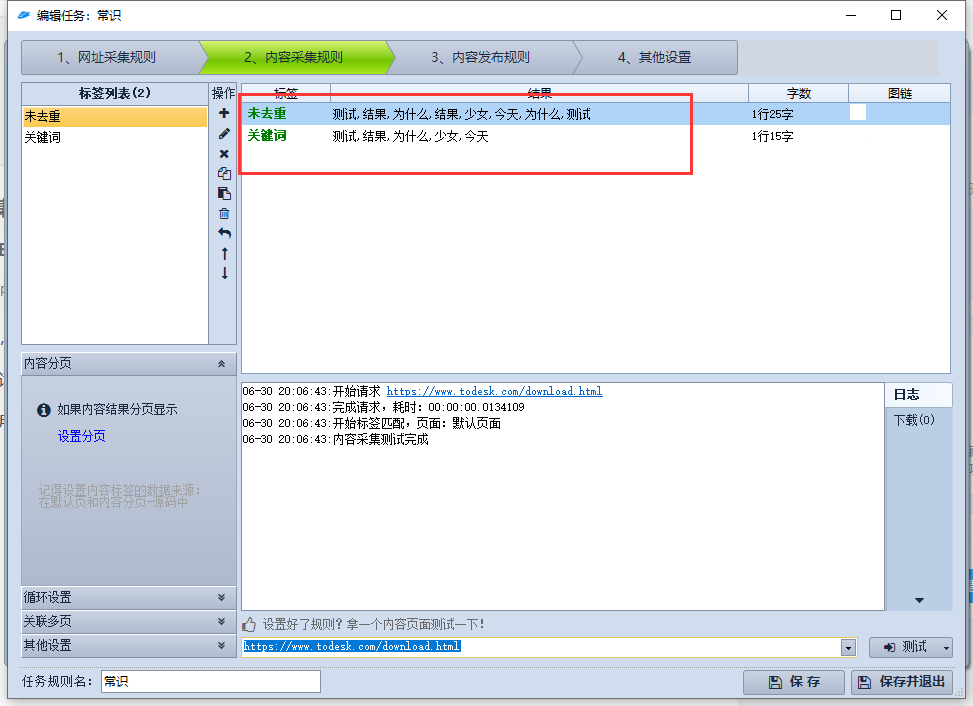
When collecting web pages, the keywords of some websites may be repeated. Or some word segmentation plug-ins may cause multiple word segmentation results to appear repeatedly. At this time, you can use the keyword deduplication processing plug-in! This plug-in can greatly simplify the collection of keywords, which is of great significance to website optimization. PHP plugin! As shown in the picture, above are the test results!
👁 263
(Adaptive Mobile Version) Membrane Structure Manufacturer Website Template Download – 1089

(Adaptive Mobile Version) Membrane Structure Manufacturer Website Template Download – 1089 Practical Collection pbootcms Template

A PbootCMS website template designed for membrane structure manufacturers, compatible with both PC and WAP devices. Its modern and professional design is ideal for showcasing membrane structure products, project cases, and design expertise. This template helps membrane structure companies promote their brand online and attract architectural and commercial clients. Template Display | Installation Instructions | Website Backend: /admin.php | Username: admin | Password: admin | Extraction Password: www.4s5.cn | Related Articles...
👁 50
There are too many articles in Empire CMS and the backend is stuck like a dog. How to solve it?

There are too many articles in Empire CMS and the backend is stuck like a dog. How to solve it? Program Notes Empire cms

Recently, the Empire CMS database contained millions of articles; when I tried to load a page via the backend, I noticed that the page was extremely laggy – almost every page experienced similar performance issues. So, I began investigating the problem. The root cause turned out to be a specific PHP file used for refreshing pages in Empire CMS; as the number of articles grew, loading this PHP file for page refreshes became significantly slower. The solution was to locate that specific page-refreshing file and optimize it. However, after resolving the issue, I had somehow forgotten to record the filename – now I need to find it again...
👁 382
(Adaptive mobile version) Baidu MIP building decoration website pbootcms template Curtain wall material website source code download 0369

(Adaptive mobile version) Baidu MIP building decoration website pbootcms template Curtain wall material website source code download 0369 Practical Collection pbootcms Template

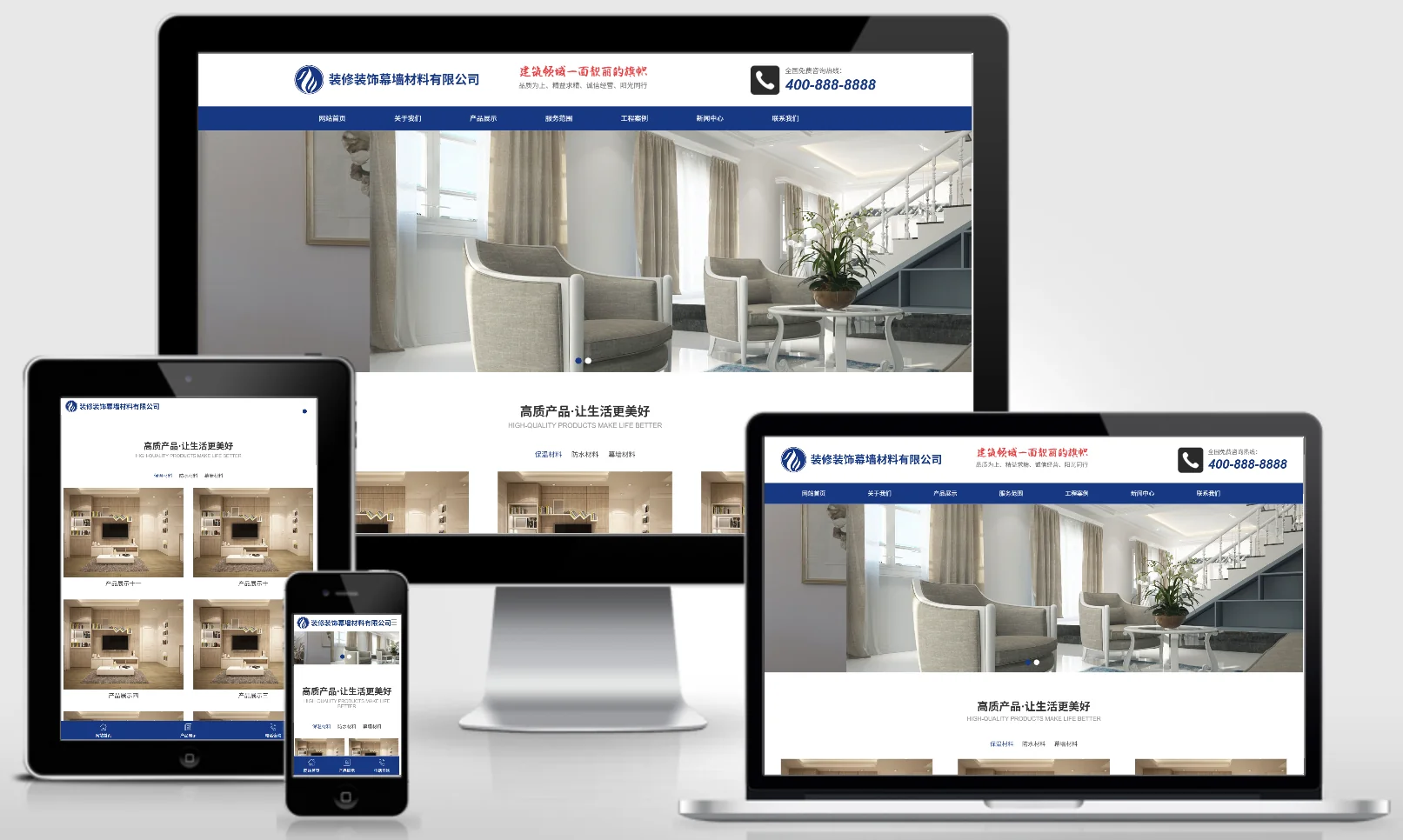
This set of Baidu MIP architectural decoration PbootCMS website templates is adaptive to the mobile phone. The design style is professional and modern, suitable for displaying curtain wall materials, decoration projects and decoration cases. Supporting Baidu MIP helps improve mobile SEO effects and attract more traffic. Template display Installation instructions Website backend:/admin.php Account: admin Password: admin Unzip password: www.4s5.cn phase...
👁 38
Excavator Heavy Machinery Website Template 0660

Excavator Heavy Machinery Website Template 0660 Practical Collection Yiyou template

An EyouCMS website template designed specifically for the excavator and heavy machinery industries. Its bold yellow design style is ideal for showcasing excavator products, construction machinery, technical specifications, and construction case studies. This template helps heavy machinery enterprises showcase their products online and attract clients in the infrastructure and mining sectors. Template Overview | Installation Instructions | Website Backend: /login.php | Username: admin | Password: admin | Related Articles: Summary of Common Installation Issues for EyouCMS...
👁 60
(PC+WAP) red crushing equipment website template general mechanical equipment website source code download 1090

(PC+WAP) red crushing equipment website template general mechanical equipment website source code download 1090 Practical Collection pbootcms Template

A red crushing equipment and general mechanical equipment PbootCMS website template, supporting PC and WAP. The design style is warm and professional, suitable for displaying crusher equipment, mining machinery and engineering cases. It helps mining equipment companies display their products online and attract mining and construction customers. Template display Installation instructions Website backend:/admin.php Account: admin Password: admin Unzip password: www.4s5…
👁 36