當用戶將鼠標懸停在圖像上時顯示菜單疊加。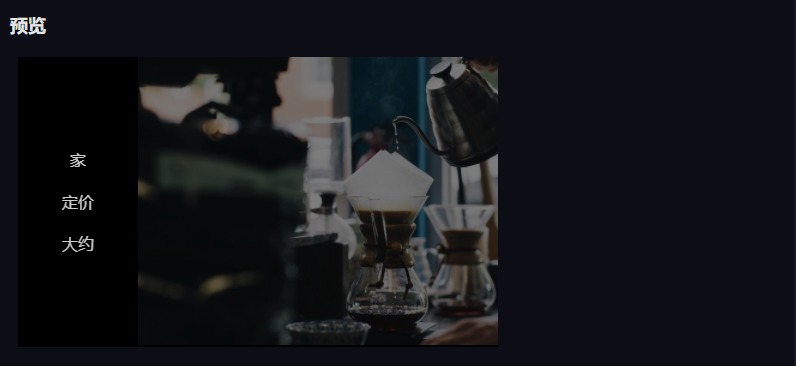
使用 a 包裝元素和將包含菜單鏈接的元素。 <figure> <img> <div>
使用 and 屬性在懸停時對圖像進行動畫處理,從而創建滑動效果。 opacityright
將 的屬性設置爲元素的 負數。將其重置爲將鼠標懸停在父元素上以在菜單中滑動時。 left<div>width0
使用 和 上的 ,使菜單項垂直居中。 display: flexflex-direction: columnjustify-content: center<div>
html代碼
<figure class="hover-menu">
    <img src="https://picsum.photos/id/1060/800/480.jpg"/>
    <div>
        <a href="#">Home</a>
        <a href="#">Pricing</a>
        <a href="#">About</a>
    </div>
</figure>
css代碼
.hover-menu {
  position: relative;
  overflow: hidden;
  margin: 8px;
  min-width: 340px;
  max-width: 480px;
  max-height: 290px;
  width: 100%;
  background: #000;
  text-align: center;
  box-sizing: border-box;
}

.hover-menu * {
  box-sizing: border-box;
}

.hover-menu img {
  position: relative;
  max-width: 100%;
  top: 0;
  right: 0;
  opacity: 1;
  transition: 0.3s ease-in-out;
}

.hover-menu div {
  position: absolute;
  top: 0;
  left: -120px;
  width: 120px;
  height: 100%;
  padding: 8px 4px;
  background: #000;
  transition: 0.3s ease-in-out;
  display: flex;
  flex-direction: column;
  justify-content: center;
}

.hover-menu div a {
  display: block;
  line-height: 2;
  color: #fff;
  text-decoration: none;
  opacity: 0.8;
  padding: 5px 15px;
  position: relative;
  transition: 0.3s ease-in-out;
}

.hover-menu div a:hover {
  text-decoration: underline;
}

.hover-menu:hover img {
  opacity: 0.5;
  right: -120px;
}

.hover-menu:hover div {
  left: 0;
  opacity: 1;
}